Google Calendar's year view falls short
Dots instead of event names. No mobile support. No interaction.
Here's what's actually missing, and what you can do about it.
No credit card required
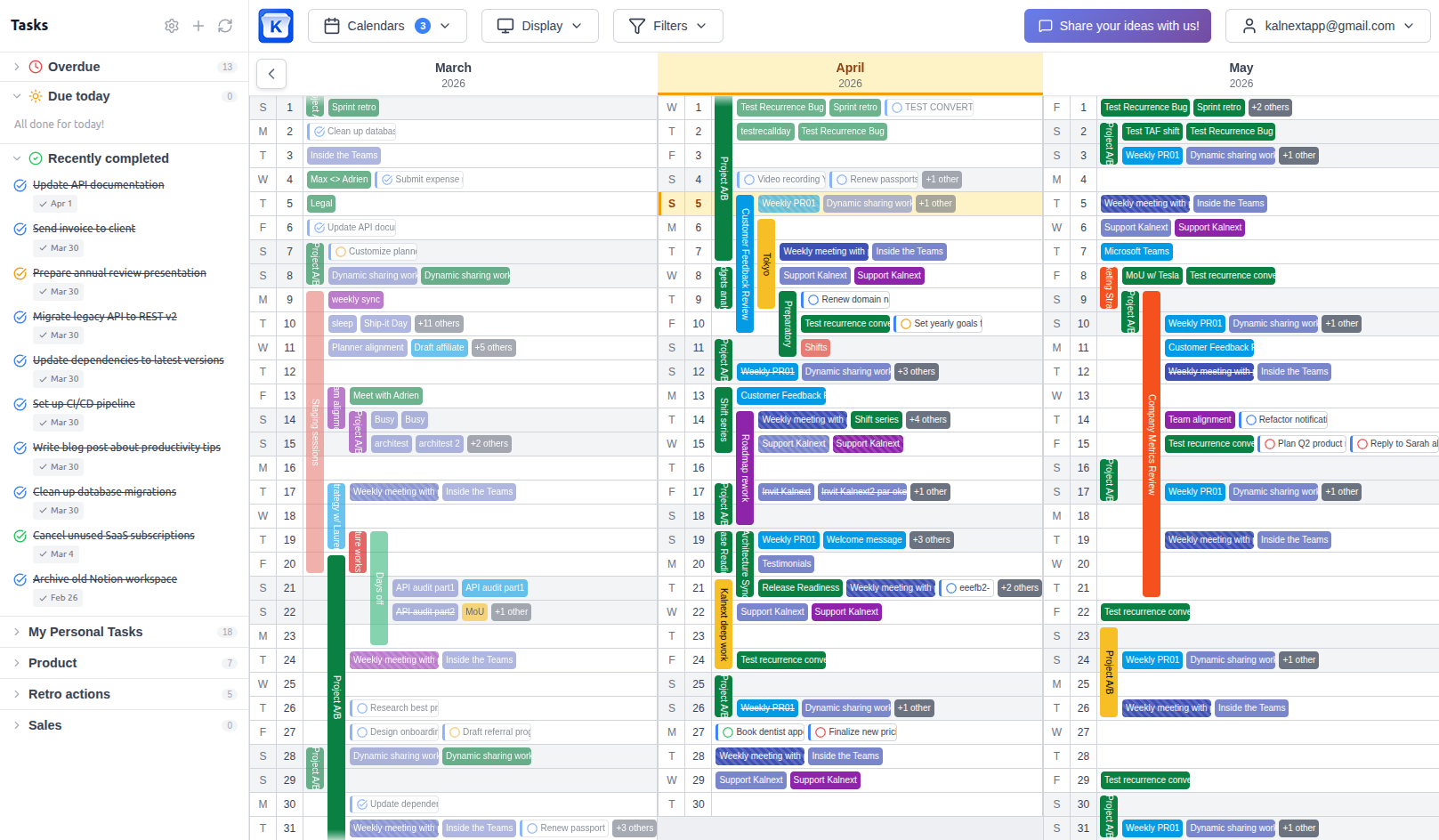
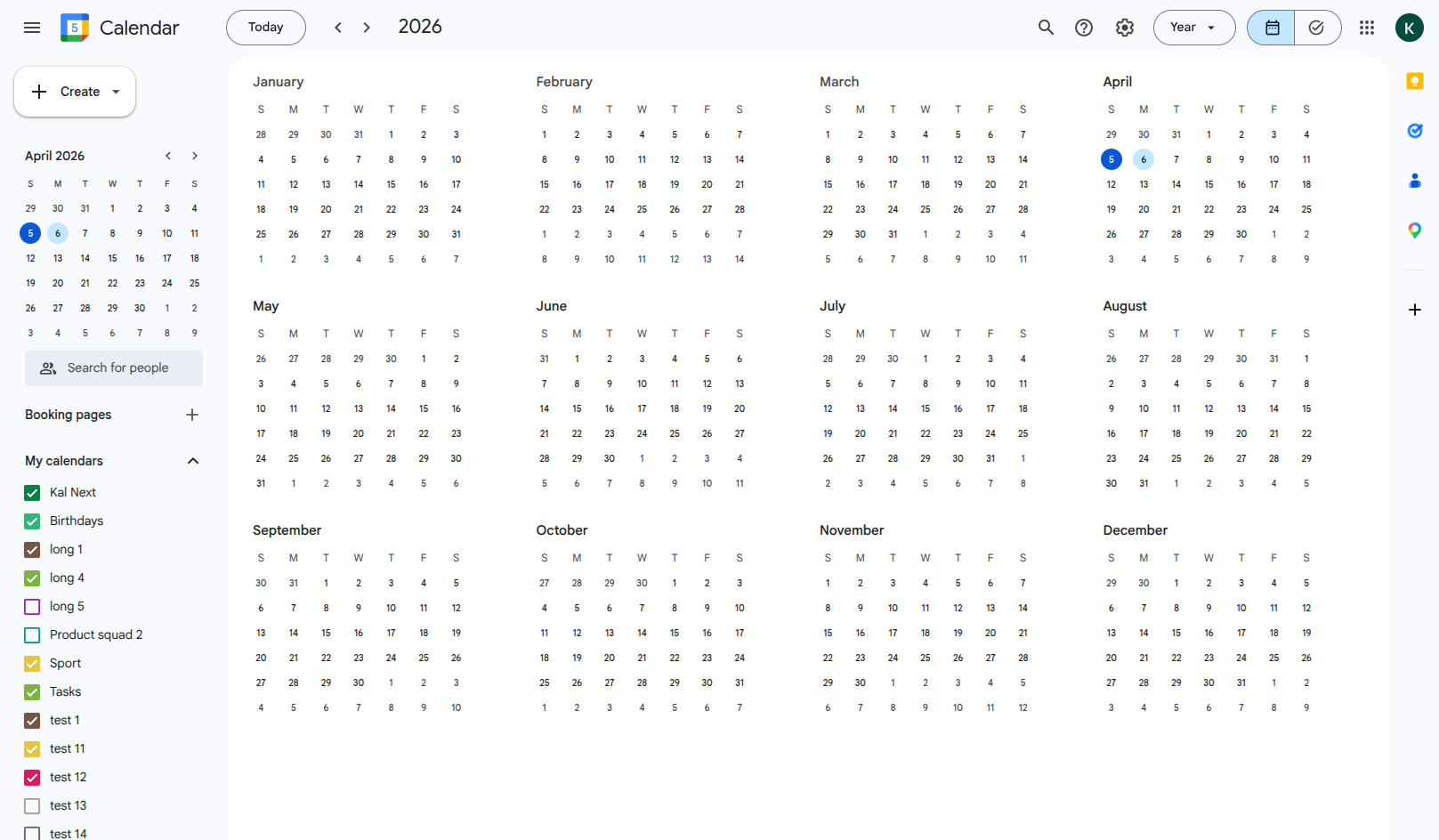
Drag to compare
A year view that doesn't show your year
Google Calendar has had a year view for years. On paper, it sounds useful: see all 12 months on one screen. In practice, it's barely functional.
The view replaces your event names with small colored dots. A Monday with three meetings looks the same as a Monday with a dentist appointment. You can't tell what's scheduled, when it starts, or which calendar it belongs to.
For anyone who actually needs to plan on a yearly scale, this is a dead end. You end up scrolling through months one by one, or maintaining a separate spreadsheet to get the overview that Google Calendar should provide but doesn't.
Kalnext gives you a Google Calendar year view with events: the name of every event across all 12 months, kept in sync with Google Calendar or Outlook.
What's actually missing
The specific limitations that make yearly planning impossible in Google Calendar.
Events are just dots
Google Calendar's year view replaces your event names with tiny colored dots. You can see that something is scheduled, but you can't tell what it is. No title, no time, no details. You have to click on each day individually to see what's going on.
You can't do anything from the year view
The year view in Google Calendar is read-only, and barely that. You can't create events, edit them, or even get a summary of your day. It's a static grid with dots. If you want to do anything useful, you have to switch to another view, losing your yearly perspective in the process.
No year view on mobile
Google Calendar's mobile app simply doesn't have a year view. You're limited to day, week, month, or schedule view. If you want to see your full year, you have to open a desktop browser. For anyone who plans on the go, this is a dealbreaker.
Multiple calendars are useless in year view
Google Calendar lets you overlay multiple calendars in day, week or month view. But in year view, all you see are dots, and you can't tell which calendar they belong to. If you manage work, personal, and team calendars, the year view gives you no way to distinguish between them.
Tasks are completely invisible
Google Tasks don't show up in the year view at all. If you use tasks to track to-dos, deadlines, or project milestones, they simply disappear when you switch to the yearly perspective. You're seeing an incomplete picture of your commitments.
You can't print or export it
Need to share your yearly plan in a meeting? Print it for your wall? Export it for a report? Google Calendar's year view doesn't support any of that. There's no print option, no export, no way to get your annual overview out of the browser.
Google Calendar vs Kalnext
A direct comparison of year view capabilities.
 Google Calendar Google Calendar |  Kalnext Kalnext | |
|---|---|---|
| See event names in year view | No, dots only | Yes, full names and colors |
| Create or edit events | No | Yes, directly from the view |
| Year view on mobile | Not available | Yes, responsive |
| Multi-calendar overlay | Dots only, no distinction | Full color-coded overlay |
| Tasks visible in year view | No | Yes, alongside events |
| Daily drill-down | ~Switches to day view | Inline hour-by-hour details |
| Free time finder | No | Built-in |
| Print or export | No | Print any date range |
| Horizontal and vertical layouts | No | Both available |
| Filter by color or keyword | ~Toggle calendars only | Advanced filters |
Ready for a year view that works?
See your full year with event names, colors, and details. Not dots.
Start your free trial14-day free trial · No credit card required