Task management on your yearly planner
See your Google Tasks or Microsoft To Do tasks alongside your events on a 12-month view.
Set duration and importance, two things Google Tasks can't do.
No credit card required
Tasks and events live in different worlds
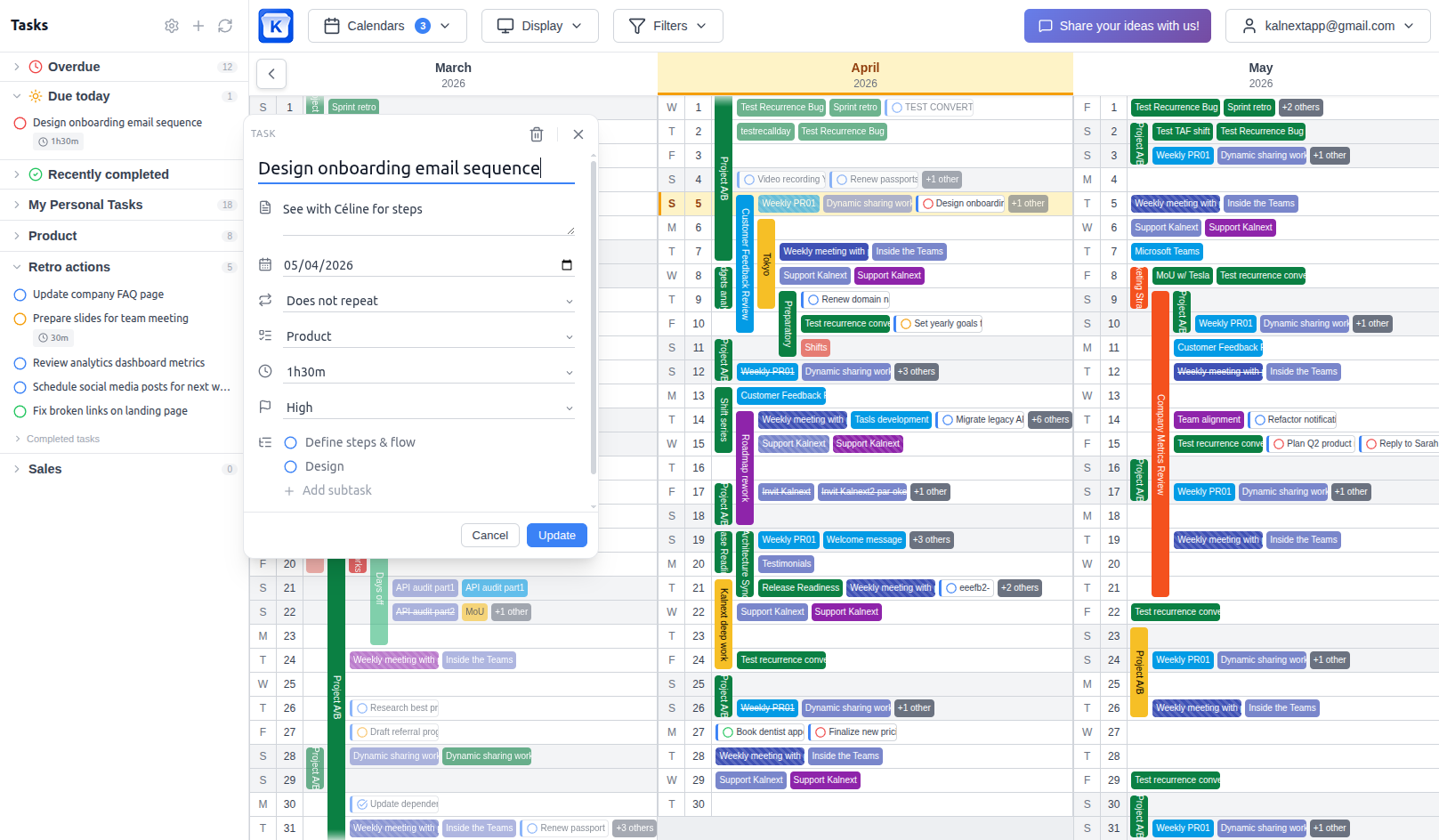
Your calendar shows meetings. Your task list shows to-dos. But when you're planning your year, you need to see both. A week that looks free in your calendar might actually be packed with deadlines and deliverables that only exist in your task list.
Google keeps Calendar and Tasks as separate products. Tasks don't appear in the year view at all. In the day, week and month views they do, but without basic information like how long they take or how important they are.
Kalnext brings tasks and events together on the same 12-month view. You see your real commitments, not just your meetings. And Kalnext adds features that Google Tasks is missing: duration and importance levels, so you can plan your time realistically.
Task management built for yearly planning
Everything syncs with Google Tasks and Microsoft To Do in real time.
See tasks and events together
Google Calendar can show tasks alongside events in day, week, or month view. But switch to the year view and tasks vanish completely. Kalnext keeps your tasks visible on the 12-month view so you can understand your real workload across the full year, not just the current week.
Schedule and reschedule tasks by dragging
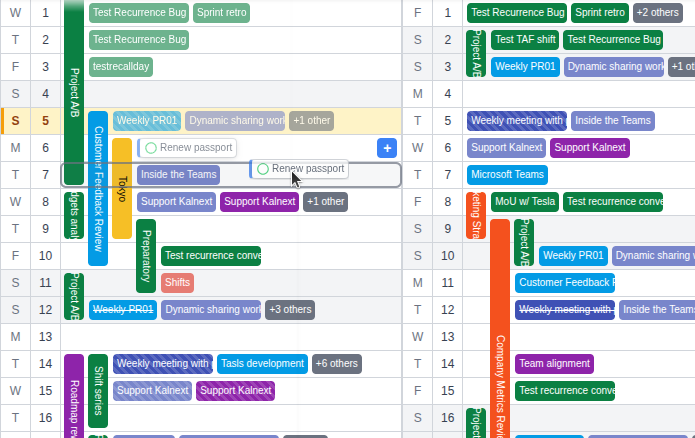
Drag a task to any day on the planner to set or change its due date. No need to open the task, edit the date field, and save. Just grab it and drop it where it belongs. The change syncs back to Google Tasks or Microsoft To Do instantly.
Set task duration
Google Tasks has no concept of how long a task takes. A quick 15-minute email and a deep 2-hour review look exactly the same. Kalnext adds duration to your tasks so you can see how much time they actually take up in your day. This changes how you plan your weeks.
Prioritize with importance levels
Google Tasks doesn't let you set priority or importance. Every task looks equally urgent. Kalnext adds importance levels so you can visually distinguish what matters most when looking at your year. Focus on high-priority work first, defer the rest.
Create tasks from the yearly view
Click any day to create a new task. Set the title, due date, recurrence, notes, duration, and importance. Assign it to any of your task lists. Add subtasks to break down larger work. Everything syncs with Google Tasks or Microsoft To Do in real time.
All your task lists in one place
See tasks from all your task lists on the planner. Filter by list, by importance, or by status. Track overdue tasks, see what's due today, and review recently completed work. Your task sidebar gives you the full picture while the planner shows where everything lands.
Google Tasks vs Kalnext
How Kalnext compares to Google Tasks.
 Google Tasks Google Tasks |  Kalnext Kalnext | |
|---|---|---|
| Due date | ||
| Recurrence | ||
| Notes | ||
| Subtasks | ||
| Task lists | ||
| Duration | × | |
| Importance / priority | × | |
| Visible on yearly calendar | × | |
| Drag & drop scheduling | × | |
| See tasks alongside events | ~Day/week/month only | |
| Convert task to event | × |
See your tasks on the big picture
Tasks and events, together on a 12-month view. With duration and importance that Google Tasks doesn't have.
Start your free trial14-day free trial · No credit card required