Event management on your yearly planner
Create, edit, drag, and resize your Google Calendar and Outlook events
directly from a 12-month view. Everything syncs in real time.
No credit card required
Why managing events from a year view matters
Google Calendar lets you create and edit events in the day, week, or month view. But the moment you switch to the year view, you lose all interaction. You can see dots, but you can't click, create, edit, or move anything.
This forces you to constantly switch views. You check the year view to find a free week, switch to month view to create the event, then go back to year view to see where it landed. It's slow and breaks your planning flow.
Kalnext lets you manage events directly from the 12-month view. Click to create, drag to reschedule, resize to change duration. Everything stays synced with your calendar. You never have to leave the big picture to handle the details.
Full event management from the yearly view
Every action syncs with your calendar in real time.
Create and edit events without leaving the year view
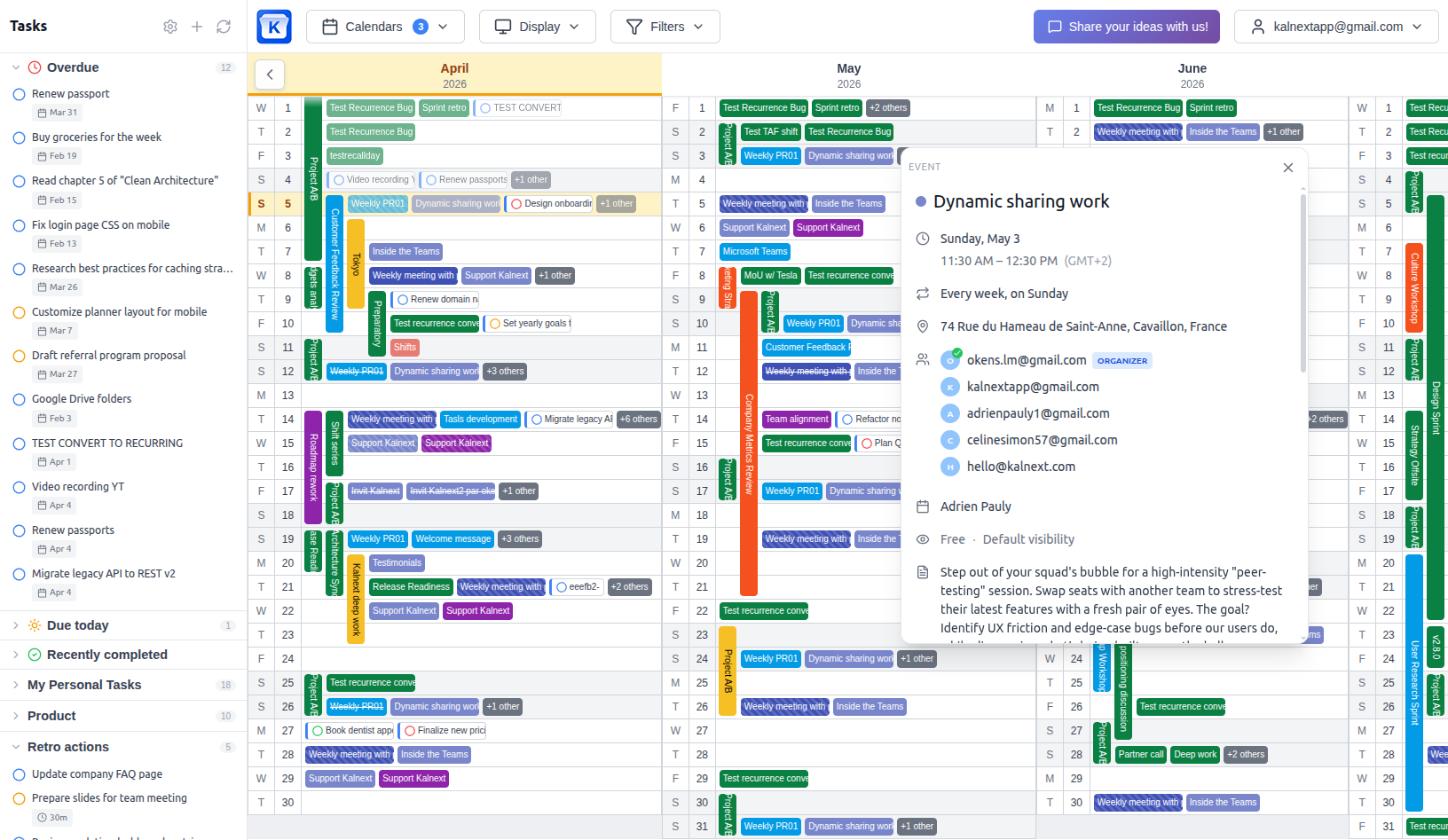
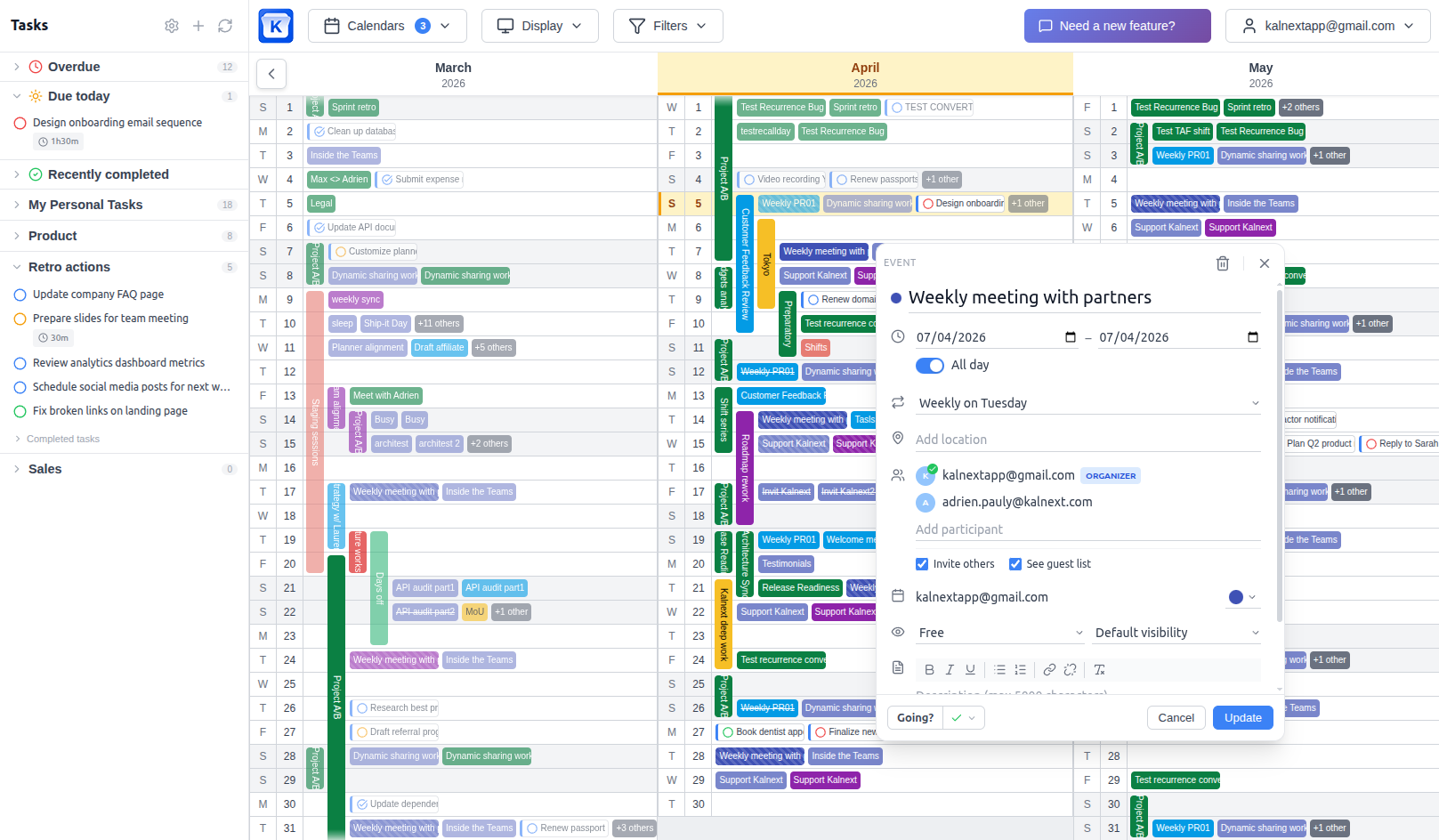
Click any day to create a new event. Set the title, date, time, recurrence, location, attendees, description, and visibility. Everything syncs back to your calendar in real time. You can also switch between creating an event or a task from the same modal.
Reschedule and resize by dragging
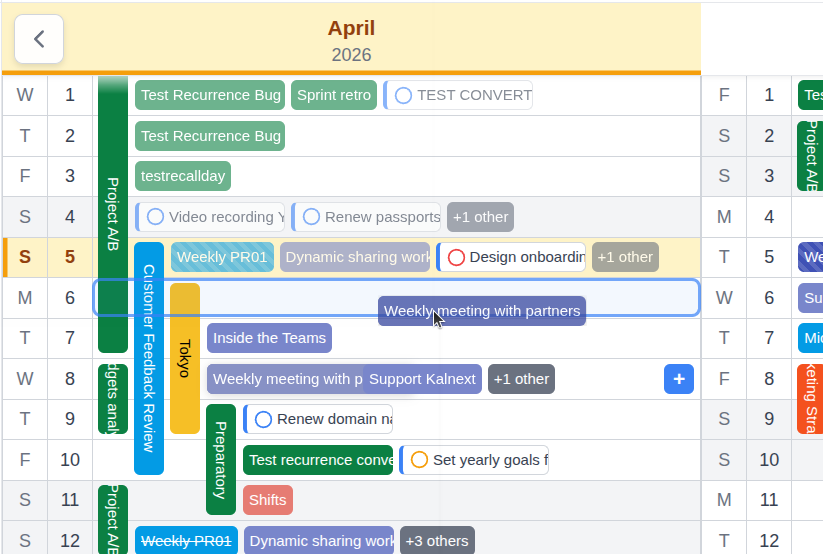
Need to move a meeting to next week? Just drag it. Want to extend a project deadline by a few days? Grab the edge and resize. Changes sync instantly to your calendar. No need to open the event, edit the dates, and save. It's one gesture.
Recurring events across the full year
Set up weekly team meetings, monthly reviews, or quarterly planning sessions once and see them spread across all 12 months. Edit a single occurrence or the entire series. Kalnext respects your calendar's recurrence rules so nothing gets out of sync.
Manage attendees and invitations
Add participants to your events directly from Kalnext. See who's invited, manage co-hosts, and check guest availability. Invitations are sent through your calendar so your attendees don't need a Kalnext account.
All-day events and timed events
Create all-day events for vacations, deadlines, or milestones. Or set specific start and end times for meetings and appointments. Both show up clearly in the year view with their proper duration. Timezone support is built in for teams working across regions.
Location, visibility, and free/busy status
Add a location to your events so you know where you need to be. Set your availability to free or busy so colleagues know when you're available. Control visibility (public, private, default) to manage what others can see on your calendar.
Everything syncs with your calendar
Manage your events from the big picture
Create, drag, resize, and edit events directly from your 12-month view. Everything syncs with your calendar.
Start your free trial14-day free trial · No credit card required