Yearly planning that actually works
Kalnext is the yearly planner for teams and individuals.
See your full year at a glance. Plan tasks, events, and quarters in one view.
No credit card required
Why yearly planning matters
Most people plan their week, some plan their month. Very few plan their year, and those who do usually rely on a mix of spreadsheets, notion docs, and calendar guesswork. None of it connects.
Yearly planning is the difference between reacting to what comes and deciding what happens. It's how you align teams around a shared direction, spot conflicts before they become fires, and protect time for what matters.
The problem is not motivation. It's visibility. When you can't see your full year in one place, your plans stay abstract. You commit to things without knowing what else is already on your plate. By Q2, you're drowning.
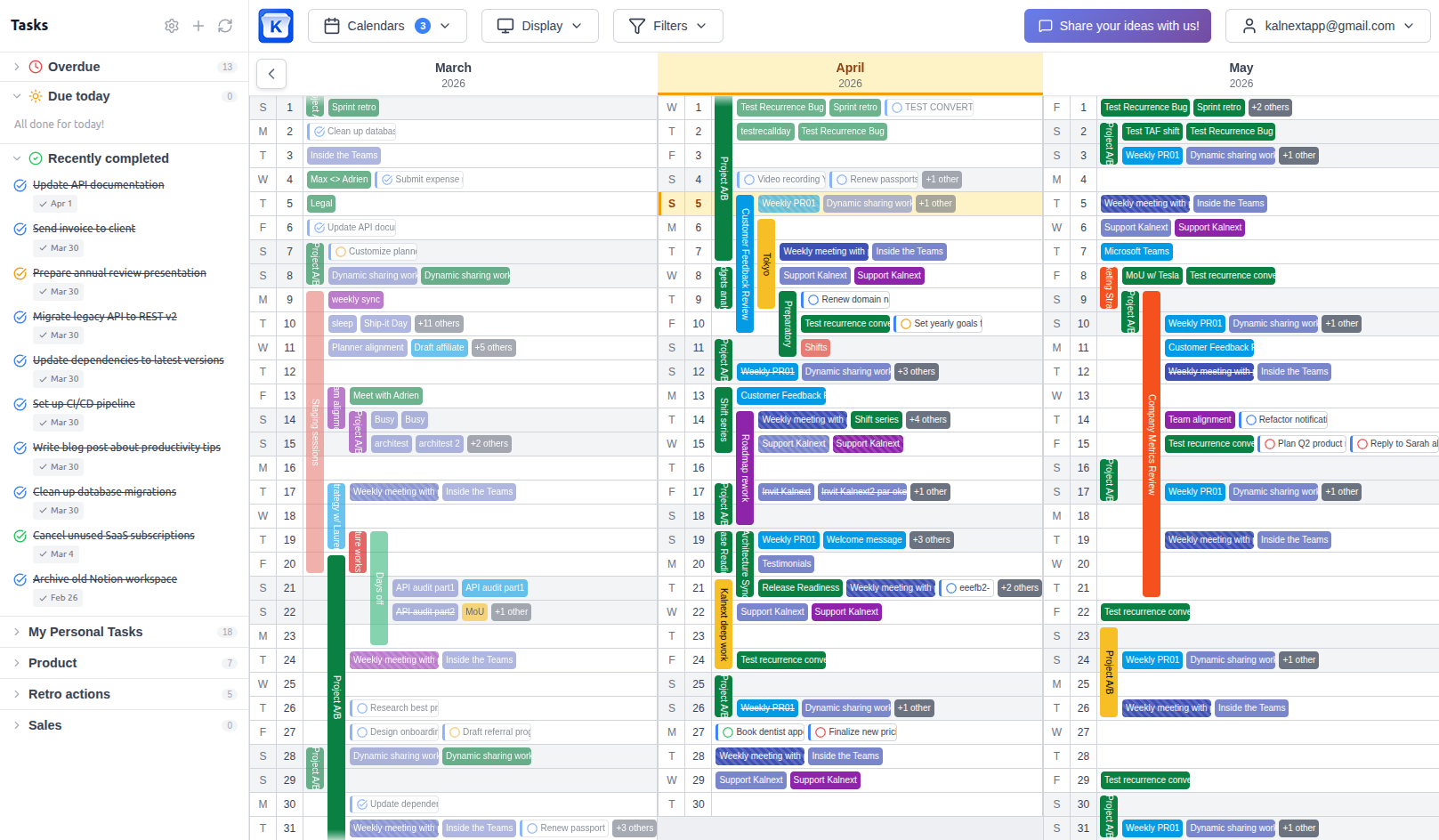
Kalnext solves this by bringing everything into a single yearly view: events, tasks, team calendars, deadlines. Your year becomes visible, and yearly planning becomes something you actually do, not something you wish you did.
Everything you need for yearly planning
One tool, every piece of your year.
See your entire year at a glance
The core of yearly planning is visibility. Kalnext shows all 12 months on a single screen, with every event, task, and deadline visible. No more scrolling month by month, no more forgetting what's coming in Q3.
Learn morePlan tasks alongside events
Yearly planning is not just about meetings. Track tasks, deadlines, and project milestones with duration and importance levels. See your real workload across the full year, not just your meeting schedule.
Learn moreCreate and reschedule events from the planner
Drag events to reschedule, resize to change duration, create new ones with a click. No need to switch to another view to manage your schedule. Everything syncs to Google Calendar and Outlook in real time.
Learn morePlan across all your calendars
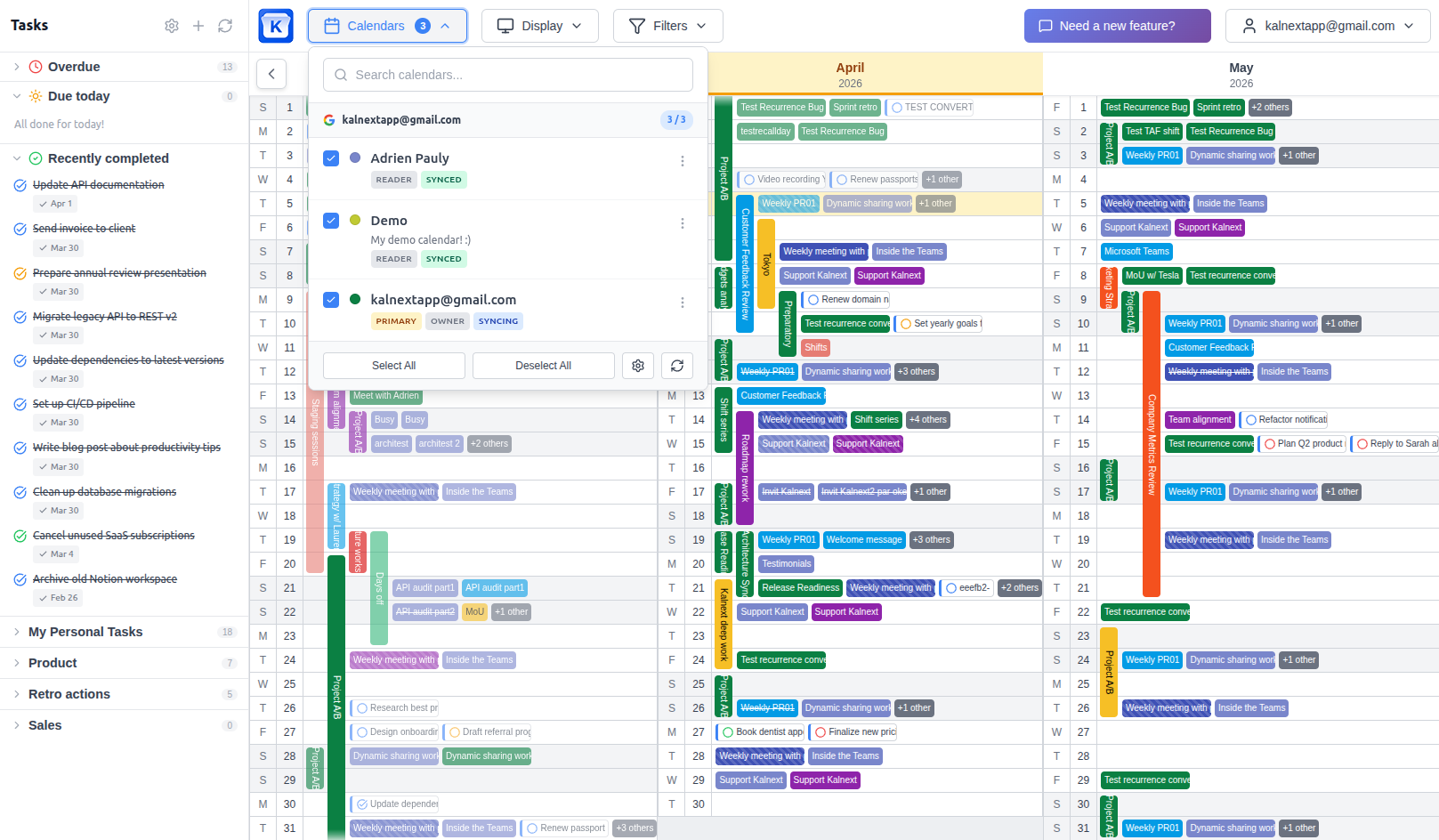
Personal, work, team, client calendars: overlay them all on a single yearly view. Invite teammates to see their schedules alongside yours. Yearly planning that reflects your real commitments.
Learn moreFind open windows across your year
Need a week for a project sprint? A few days for vacation? A slot that works for your whole team? The free time finder scans your calendars and highlights available windows instantly.
Share your yearly plan with anyone
Create shared links so anyone can view your yearly plan. Viewers toggle which calendars to display. No account needed, no audience limits. Perfect for schools, organizations, or teams sharing with external stakeholders.
Learn moreHow to plan your year
Four steps that make yearly planning stick.
Block personal time first
Vacations, wellness, family. If you don't put them on the calendar first, work will fill the gaps.
Plan by quarters, not months
Set 3-4 major objectives per quarter. Months go by too fast for meaningful goals.
Set up recurring events in January
Weekly meetings, monthly reviews, quarterly planning. Do it once, see them all year.
Review every quarter
Block 30 minutes at the end of each quarter to assess progress and adjust the next one.
Want more strategies? Read our yearly planning tips guide.
Who uses yearly planning?
Strategic planning
Translate annual goals into a visible plan. See how projects overlap, compete for resources, or create bottlenecks before they happen.
Team coordination
Align your team around a shared yearly view. Spot conflicts between vacations, launches, and deadlines in one glance.
Quarterly reviews
Print or export any date range for quarterly retrospectives. Compare what you planned versus what happened.
Project portfolio
Track multiple projects in parallel. Color-code by project, filter by calendar, and see your portfolio at a glance.
Academic and school planning
Plan terms, semesters, holidays, and events across a school year. Share with parents and staff.
Personal goals
Set objectives for the year and break them into quarterly and monthly actions. Track progress visually.
Start planning your year today
Connect your Google Calendar or Outlook and see your full year in under a minute.
Start your free trial14-day free trial · No credit card required