Yearly planning across multiple calendars
Stop switching between calendars to understand your year.
Overlay them all on a single 12-month view.
No credit card required
The challenge of planning across multiple calendars
Most professionals manage more than one calendar. A personal calendar, a work calendar, maybe a shared team calendar, project-specific calendars, or calendars from clients and partners. Each one holds a piece of the puzzle, but you never see the full picture.
Sound familiar? You're planning a team offsite for September, so you check your work calendar. Looks clear. Then you realize you forgot to check your colleague's calendar. And the company events calendar. And your personal calendar where you booked a family trip that same week. By the time you've checked everything, you've lost 20 minutes switching between tabs and views.
Now multiply that by every scheduling decision you make across the year. Quarterly planning, vacation coordination, project timelines, hiring schedules. Each one requires checking multiple calendars that live in separate places.
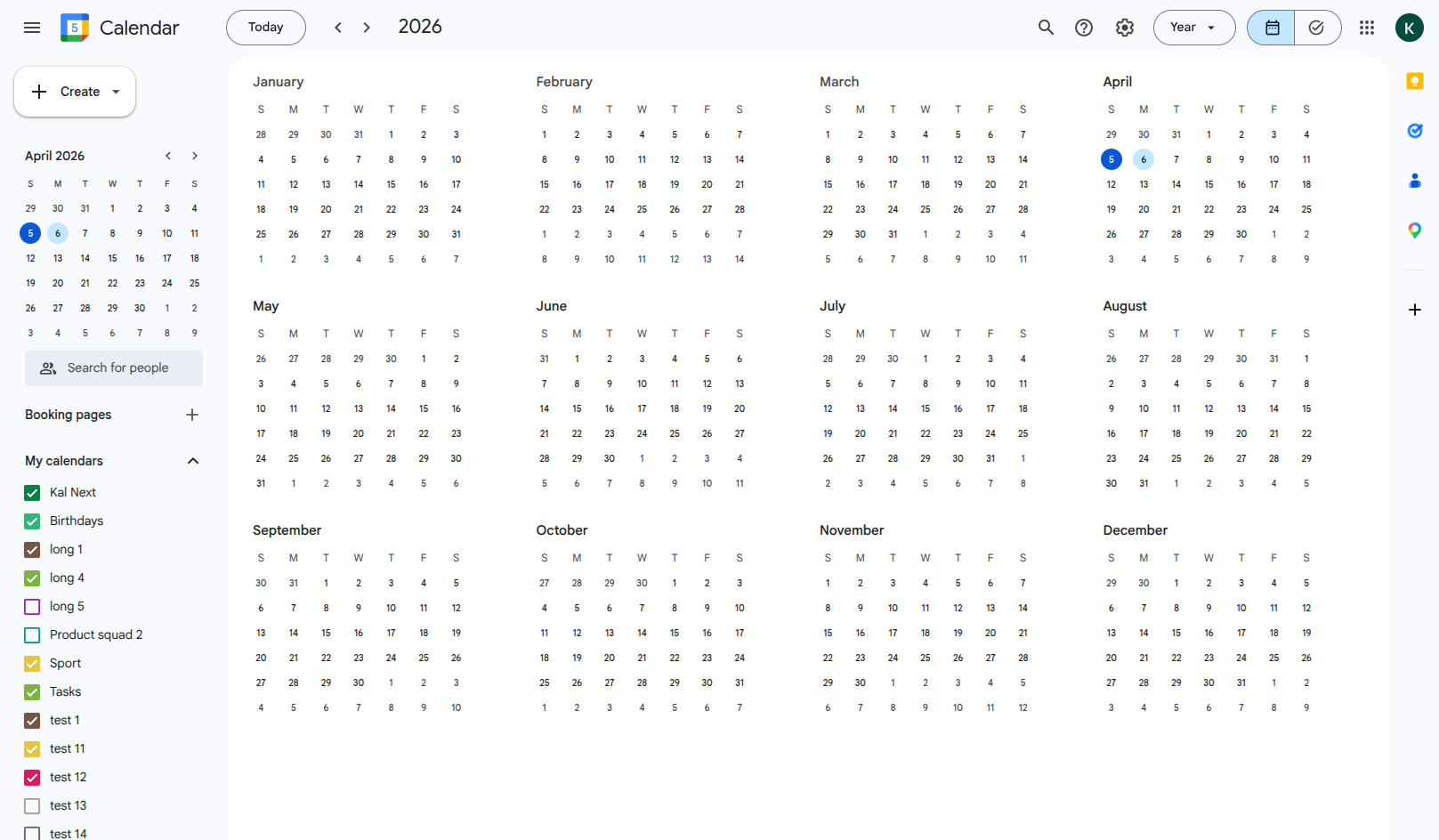
Google Calendar can overlay multiple calendars in day, week or month view, but the year view only shows tiny dots with no detail. You can't tell which calendar an event belongs to, let alone coordinate across them.
Yearly planning: Google Calendar vs Kalnext
How does multi-calendar yearly planning compare?
 Google Calendar Google Calendar |  Kalnext Kalnext | |
|---|---|---|
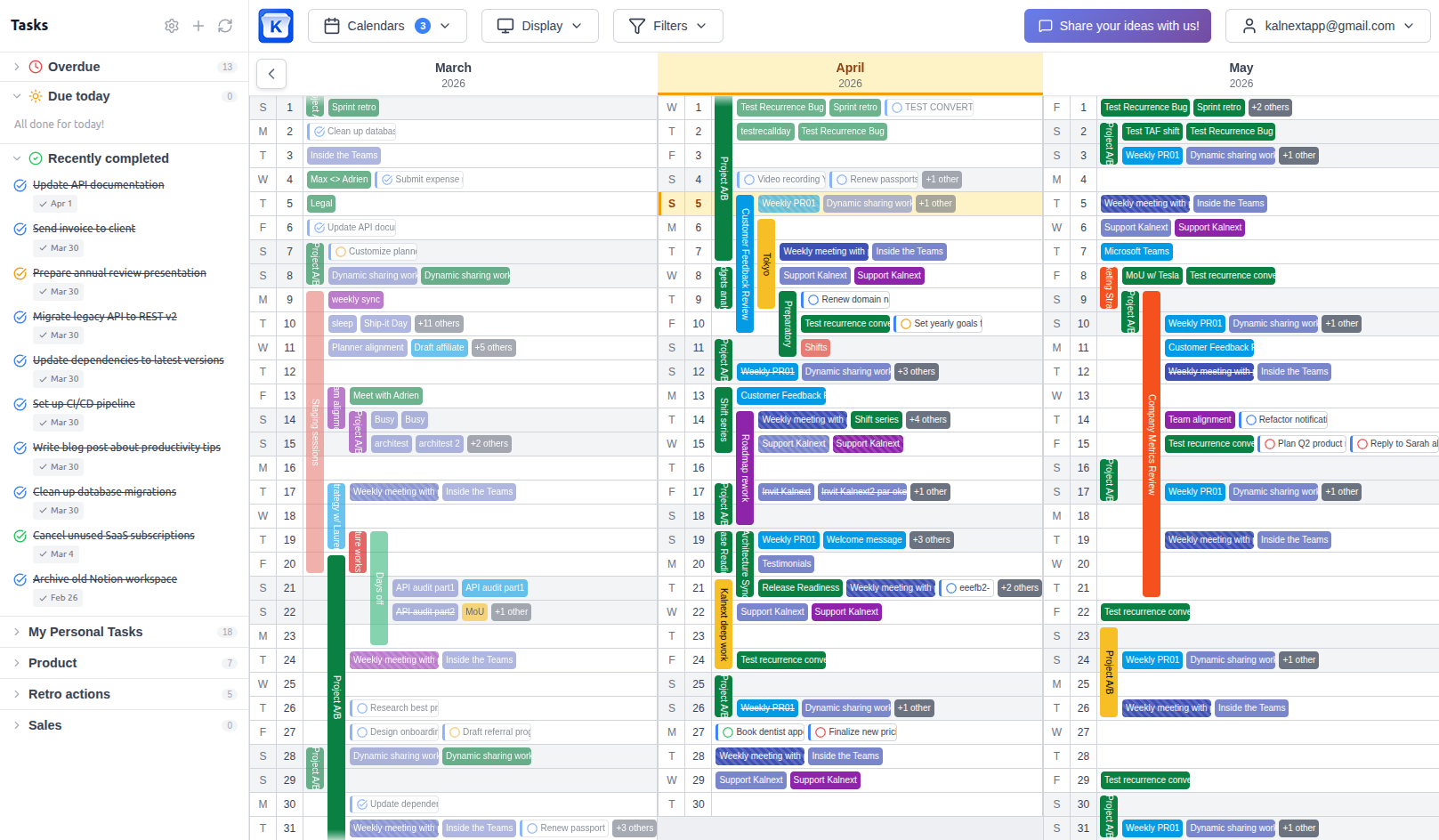
| Year view with events | Dots only | Full event names and colors |
| Multiple calendar overlay | ~Day/week/month only | Full 12-month overlay |
| Multiple Google accounts | ~Switch between accounts | All accounts in one view |
| Find shared free time | Not in year view | Free time finder |
| Conflict detection | Manual checking | Visual overlap detection |
| Filter by calendar | Toggle on/off | Toggle + color + keyword |
| Print yearly overview | Not available | Print any date range |
Drag to compare
How Kalnext solves multi-calendar planning
Here's what changes when you can see all your calendars on one yearly view.
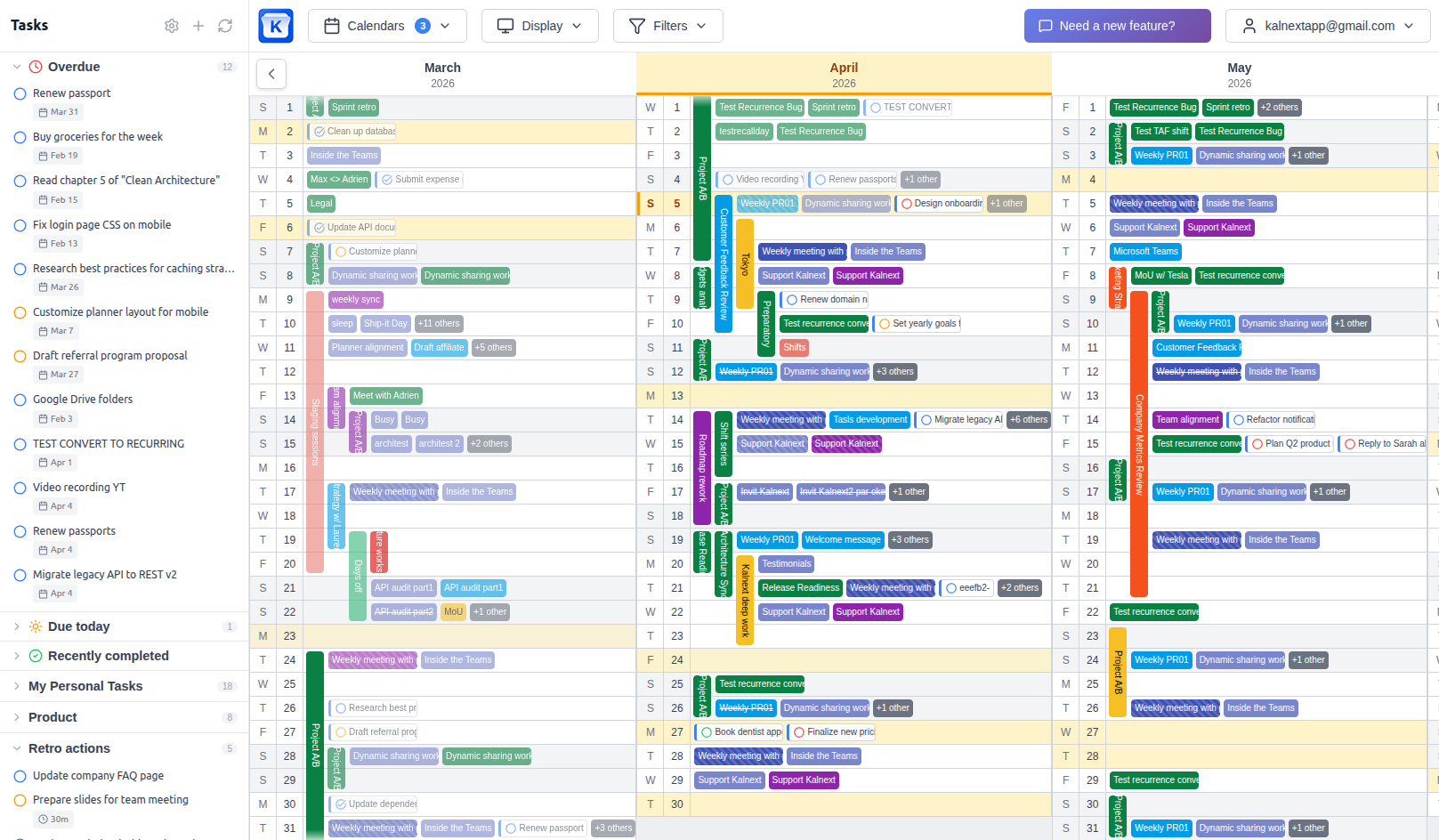
See all your calendars in one view
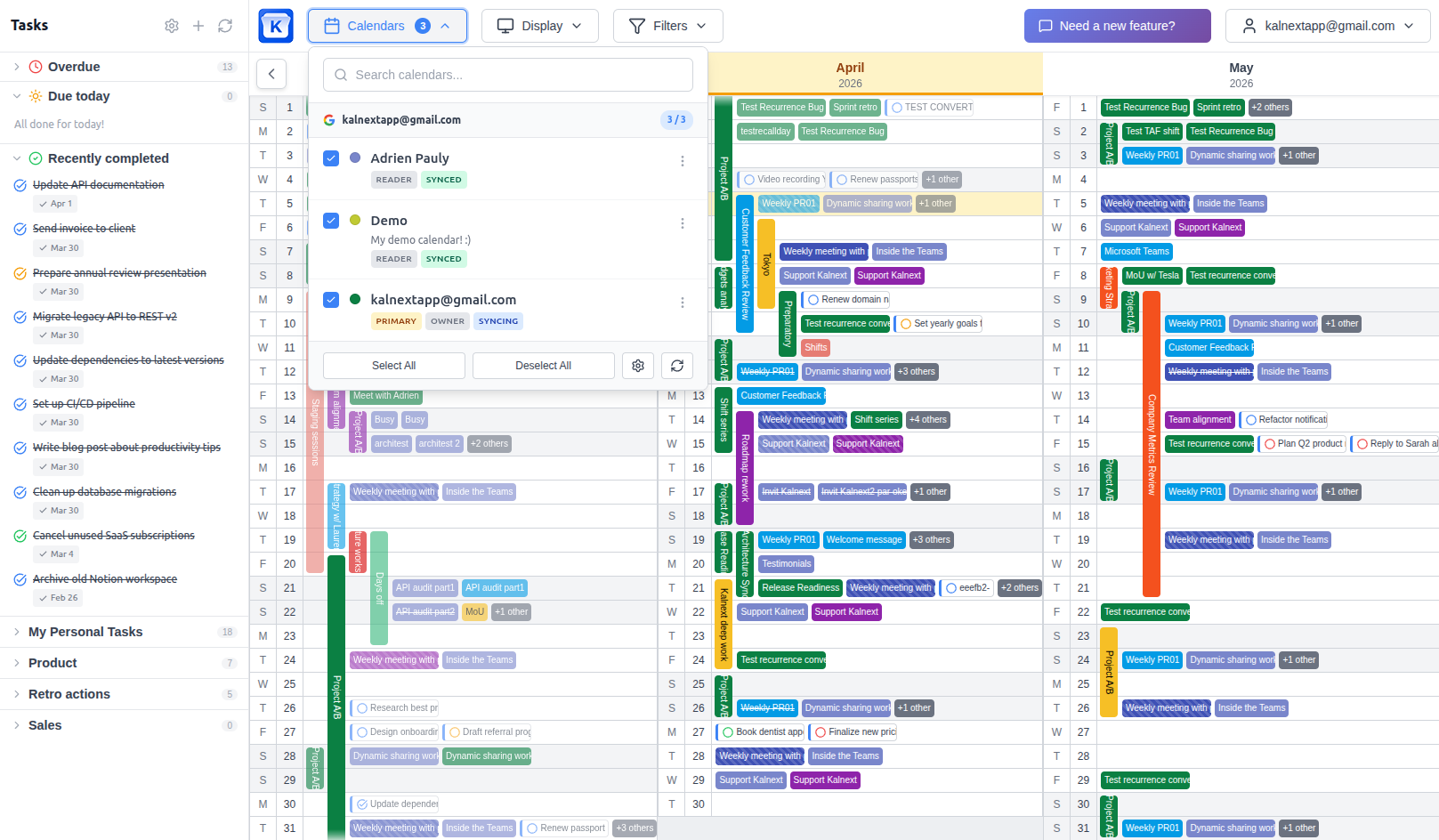
You have a work calendar, a personal one, maybe a shared team calendar and a few project-specific ones. In Kalnext, you connect your Google and Microsoft Outlook accounts and overlay any combination of calendars on a single 12-month view. Everything is color-coded, so you instantly know which calendar each event belongs to.
Invite teammates and see their calendars
Planning across a team means knowing when people are available. Invite team members to your workspace and their calendars appear alongside yours. You can see at a glance who has a packed Q3 and who has room for a new project. No more Slack messages asking "are you free the week of the 15th?"
Find common free time across calendars
Need to schedule a 3-day workshop that works for 5 people? The free time finder scans all selected calendars at once and highlights the windows where everyone is available. What used to take a dozen emails now takes a few seconds.
Spot scheduling conflicts early
When all your calendars are visible on the same 12-month view, conflicts jump out. That product launch landing on the same week as half the team is on vacation? You see it in January, not in June when it is too late to change course.
Who needs yearly multi-calendar planning?
Team leads and managers
Overlay your entire team's calendars to plan quarters, balance workload, and make sure deadlines don't collide with vacations or company events.
Freelancers and consultants
Juggle multiple client calendars alongside your personal schedule. See your real availability across all your commitments in one place.
Executive assistants
Manage calendars for multiple people. Quickly find slots that work for everyone when scheduling cross-functional meetings or leadership offsites.
Project coordinators
Track project milestones, team availability, and external deadlines across multiple calendars. Spot resource conflicts months in advance.
Get your calendars aligned in minutes
No data migration. Your calendars stay in Google Calendar or Outlook.
Connect your accounts
Sign in with one or more Google or Microsoft accounts. All your calendars appear instantly.
Choose which calendars to overlay
Select any combination of calendars. Toggle them on or off at any time to focus on what matters.
Plan your year together
See 12 months of combined schedules. Find free time, spot conflicts, and coordinate with confidence.
Related resources
Google Calendar Year View
The complete year view with events, tasks, and daily details.
Annual Planning Tips
Expert strategies to organize your year with Google Calendar.
Year View Limitations
Why Google Calendar's native year view isn't enough.
Compared Alternatives
How Kalnext compares to other yearly calendar solutions.
Ready to align your calendars?
Connect your Google and Outlook accounts and see all your calendars on a single 12-month view in under a minute.
Start your free trial14-day free trial · No credit card required