Master yearly planning with Google Calendar
Practical strategies to organize your entire year.
Plan by quarters, avoid common mistakes, and stay on track.
No credit card required
Why most people fail at yearly planning
Every January, people set ambitious goals for the year. By March, most have already lost track. The problem is rarely motivation. It's visibility. When you can't see your full year laid out in front of you, it's impossible to make realistic plans.
Google Calendar is great for managing your week. But it was never designed for long-term planning. The month view only shows 4-5 weeks ahead. The year view shows dots instead of events. You end up planning quarter by quarter in a spreadsheet, disconnected from your actual calendar.
The tips below work with any calendar tool. But they work best when you can actually see all 12 months of your schedule at once, which is exactly what Kalnext's year view gives you.
5 strategies for effective yearly planning
Concrete techniques you can apply today.
Organize by quarters, not months
Months go by fast. Quarters give you enough runway to set meaningful goals and actually achieve them. Start each quarter by defining 3 to 4 objectives, then block the time needed to reach them. At the end of each quarter, review what worked and adjust the next one.
- Define 3-4 major objectives per quarter
- Block time for quarterly reviews in advance
- Plan vacations and time off at the start of the year
- Leave buffer weeks between intense periods
Use separate calendars for separate areas of your life
A single calendar for everything quickly becomes unreadable. Create dedicated calendars for work, personal, family, side projects, and recurring commitments. Color-code them consistently so you can spot your workload distribution at a glance.
- One calendar per domain (work, personal, family)
- Consistent color coding across the year
- Toggle calendars on/off to focus on one area
- Share relevant calendars with the right people
Set your recurring events in January
Weekly team meetings, monthly reviews, quarterly planning sessions, birthdays, anniversaries. Set them all up at the beginning of the year. Once they're in your calendar, you plan around them instead of forgetting them.
- Weekly and biweekly meetings
- Monthly reviews and retrospectives
- Quarterly planning and goal-setting sessions
- Annual events (renewals, deadlines, tax dates)
If you can't see it, you can't plan it
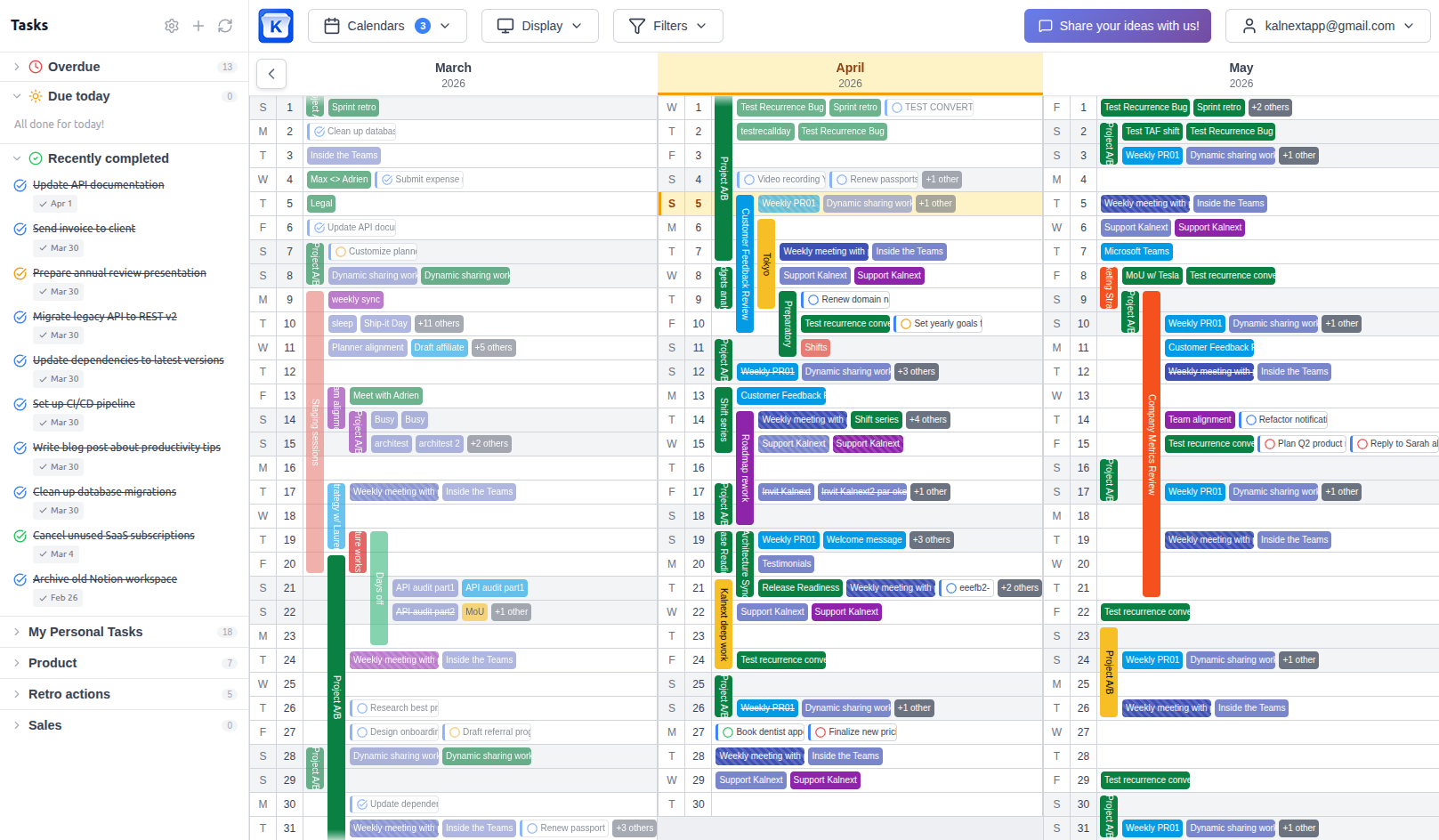
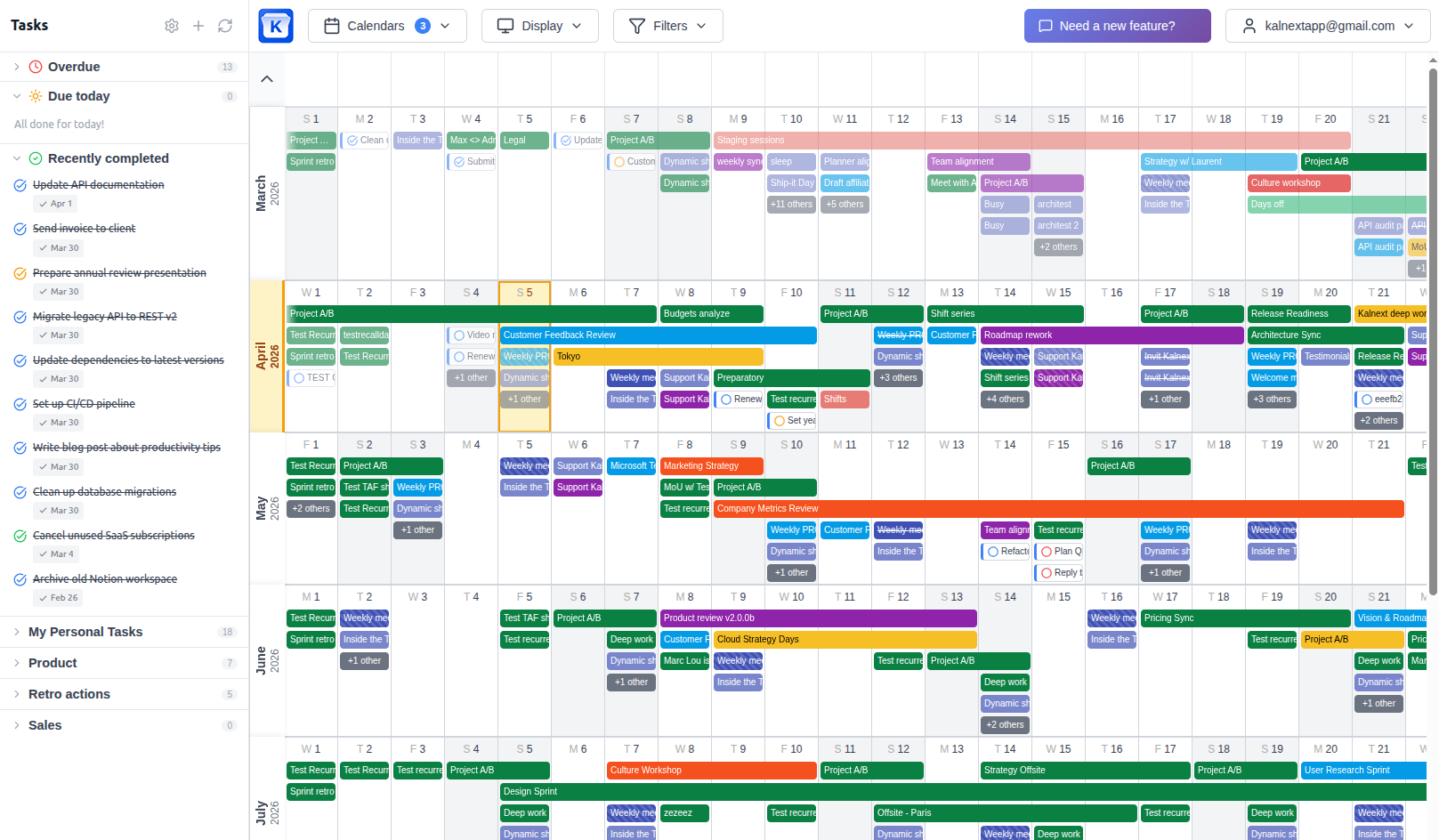
The biggest problem with Google Calendar's year view is that it only shows dots. You need to actually see your events to plan around them. A real year view lets you spot conflicts, busy periods, and free windows without clicking on every single day.
This is why we built Kalnext. A true year view that shows every event with its name, color, and time across all 12 months. You can also overlay multiple calendars and find free time across your team.
Block personal time before work fills the gaps
Vacations, family time, hobbies, health appointments. If you don't block them first, work will take over. The most effective yearly planners put personal commitments on the calendar before anything else. It's not selfish, it's sustainable.
- Block vacation weeks before planning projects
- Schedule regular breaks between intense periods
- Protect at least one evening per week
- Plan wellness and health appointments for the full year
Common yearly planning mistakes
Ready to plan your year?
See all 12 months of your Google Calendar in one view. Apply these strategies with a tool built for yearly planning.
Start your free trial14-day free trial · No credit card required