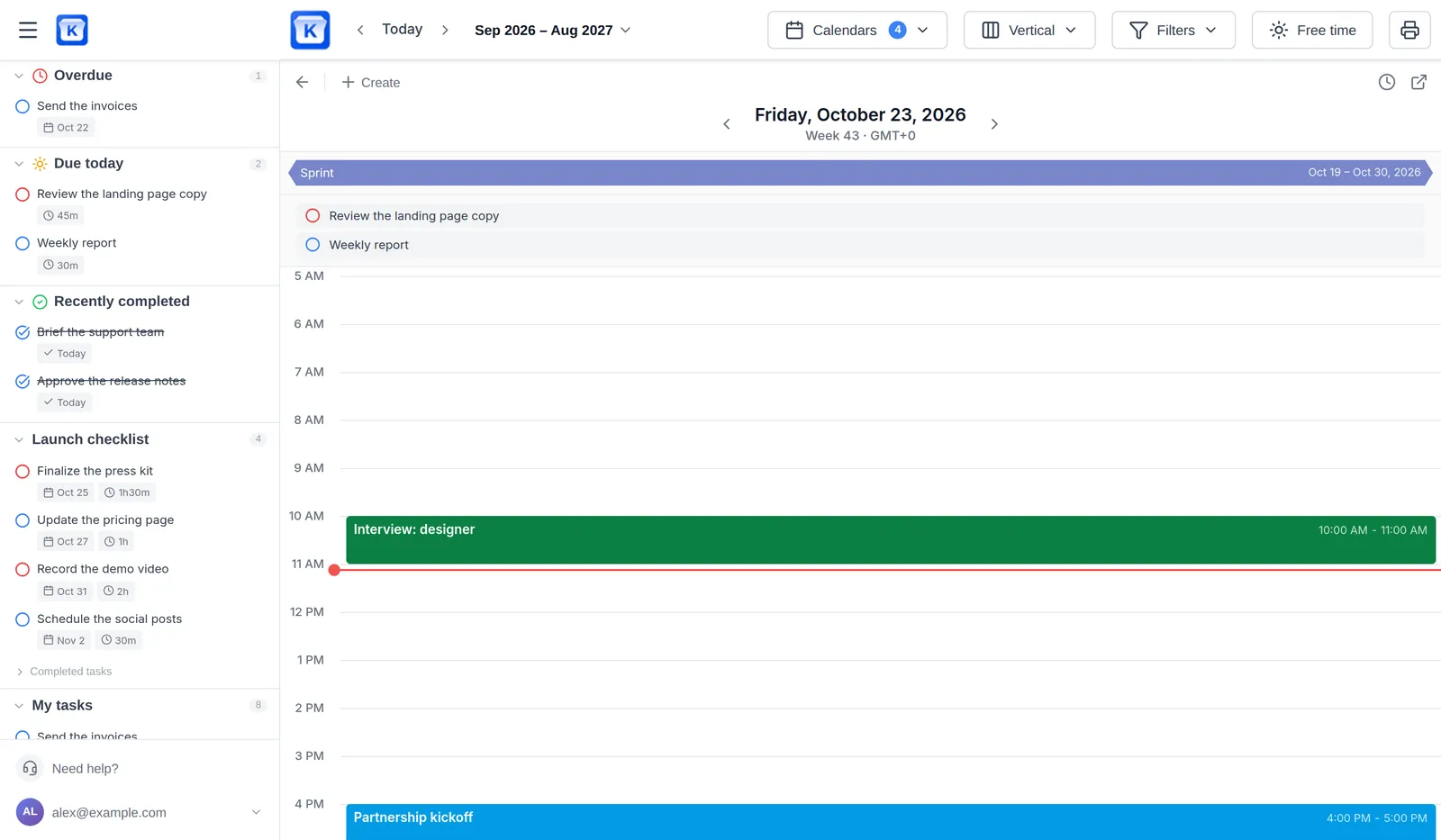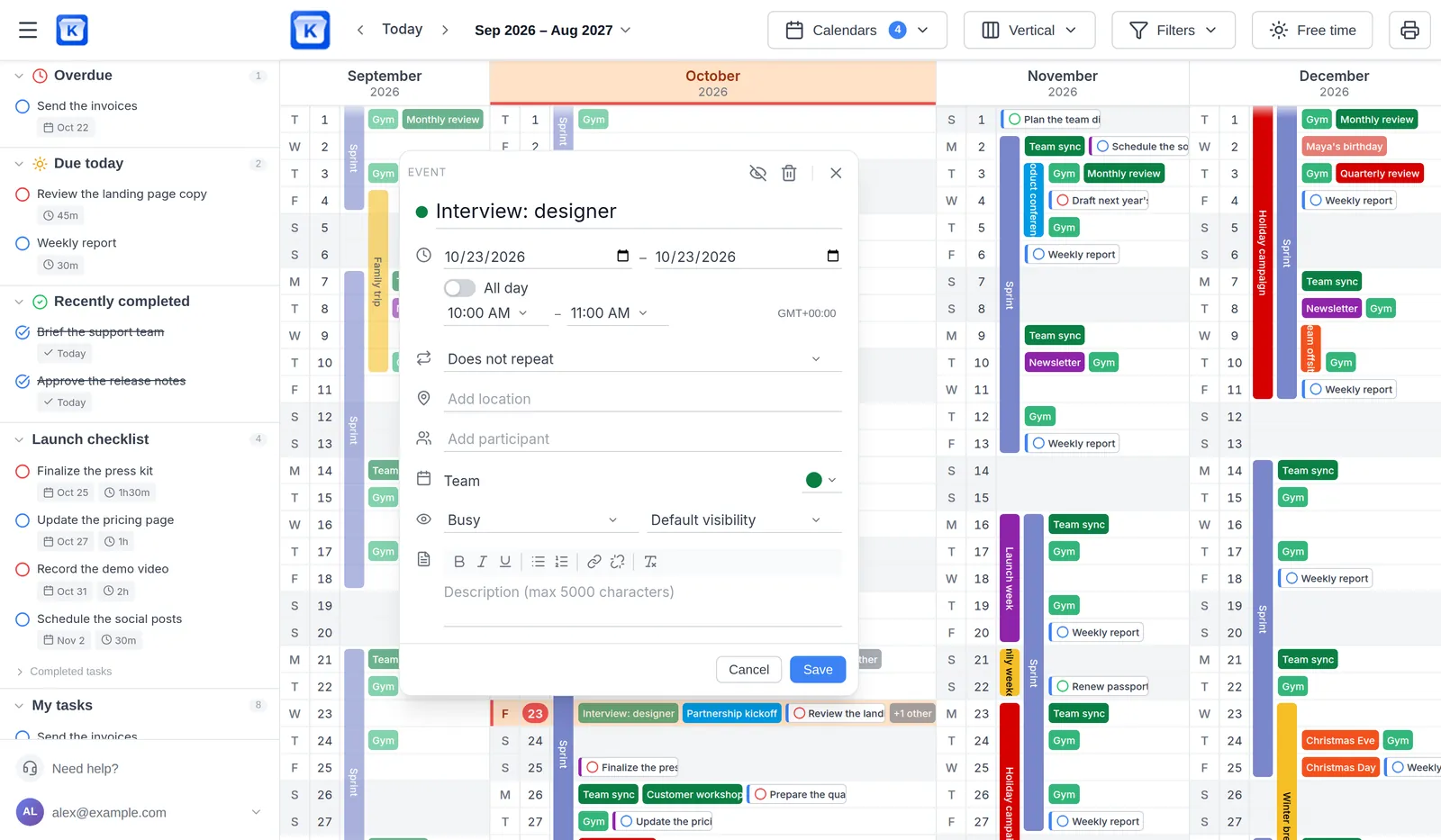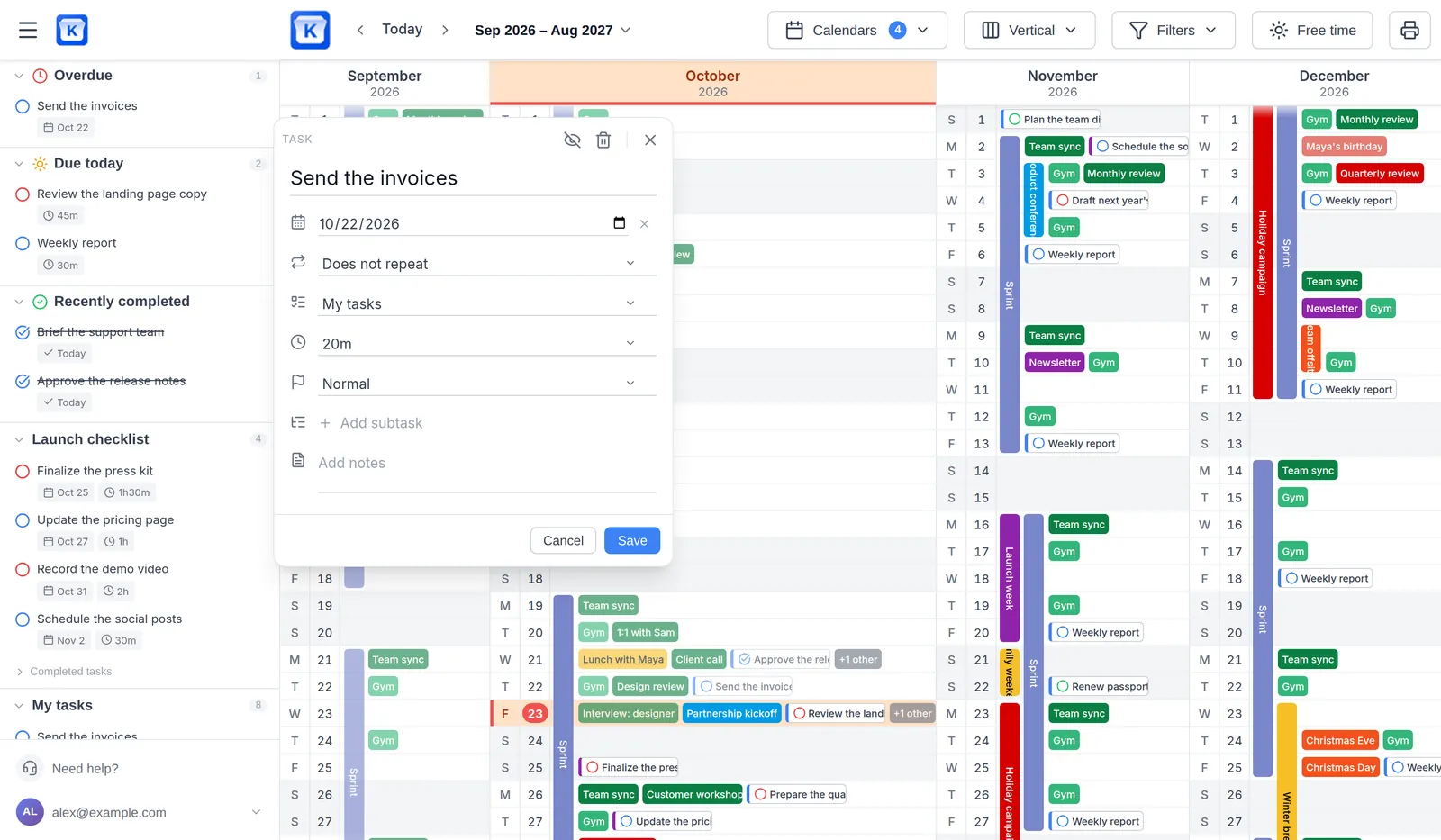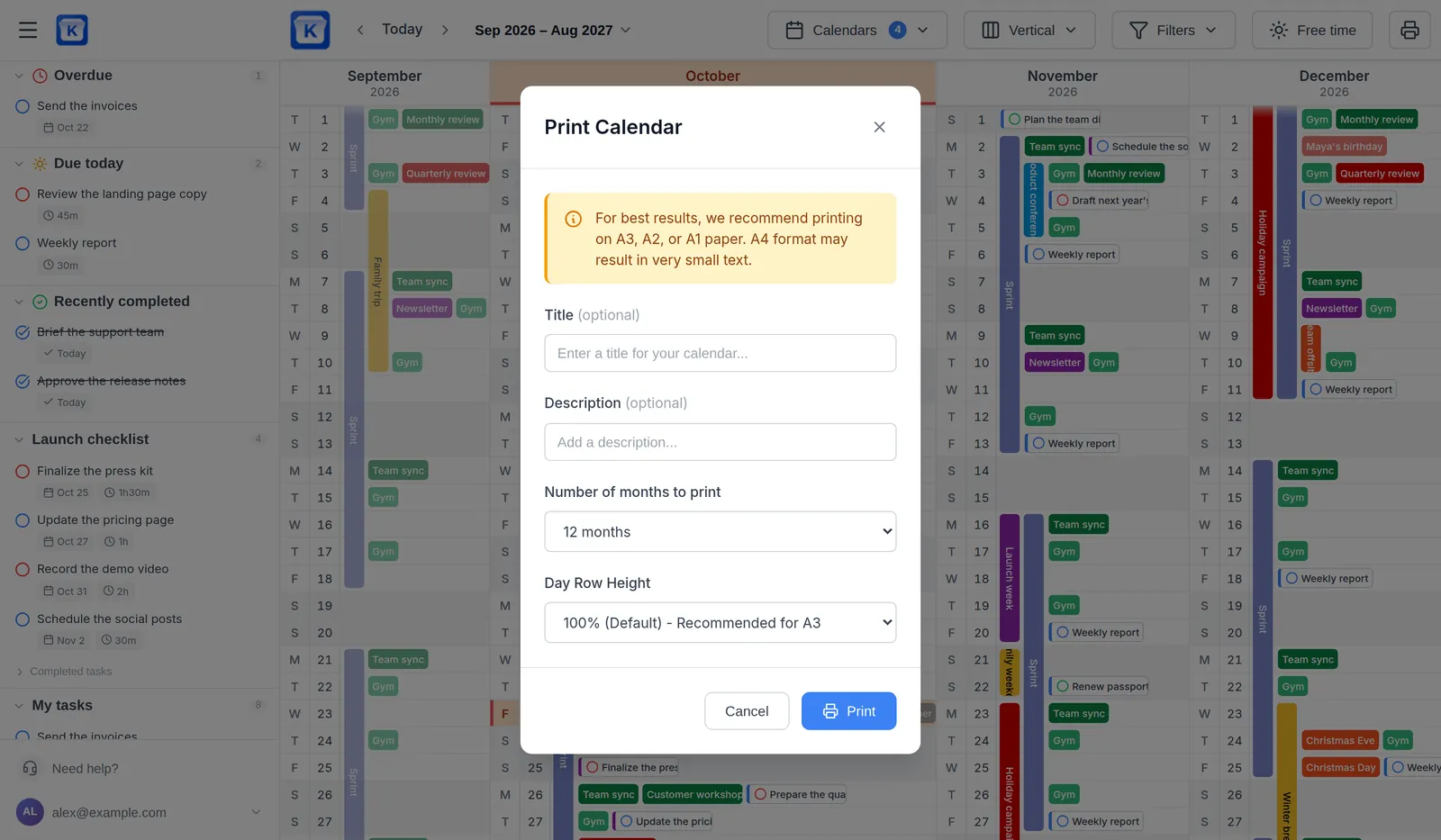

Vertical
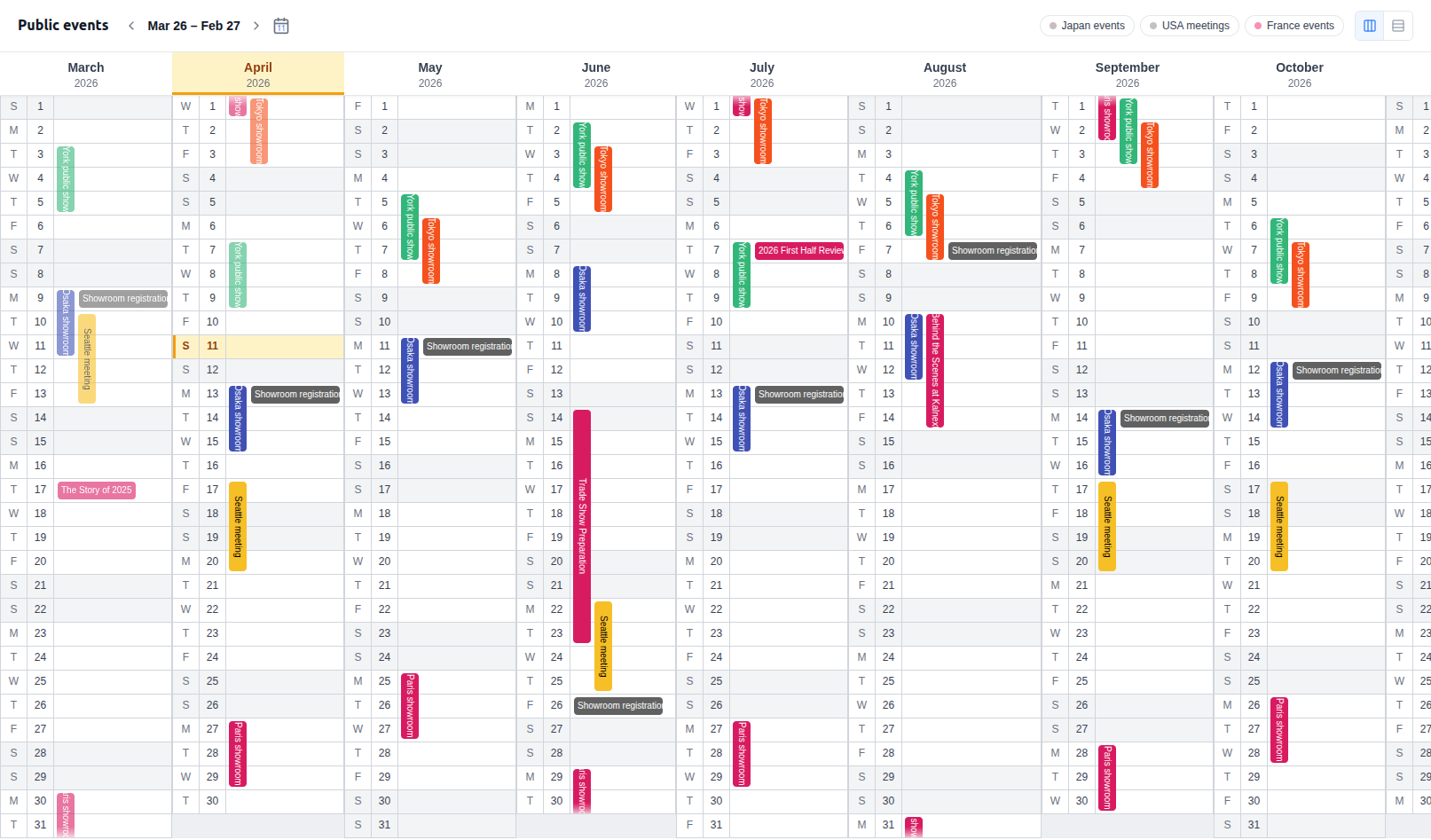
Compare months side by side
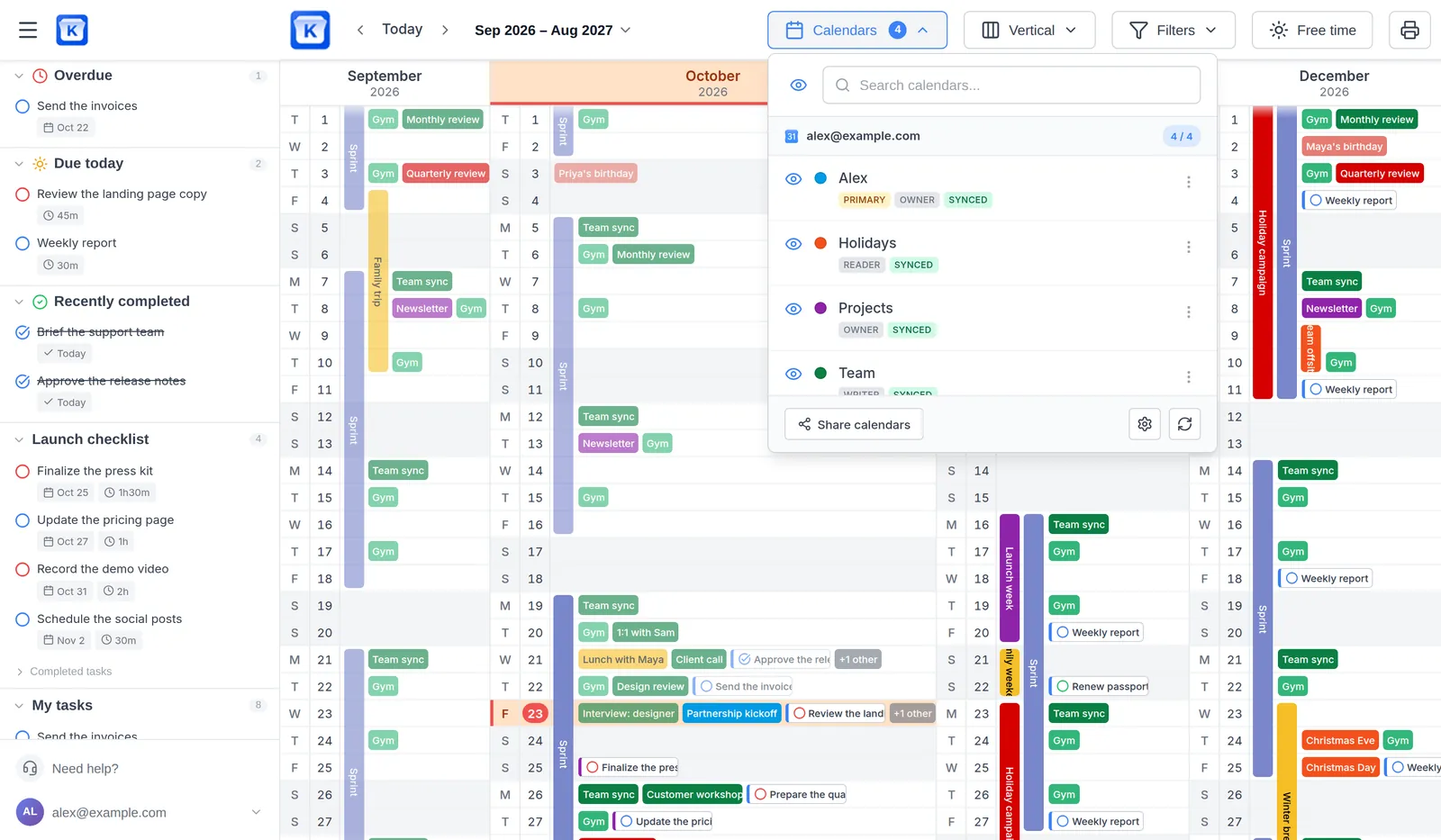
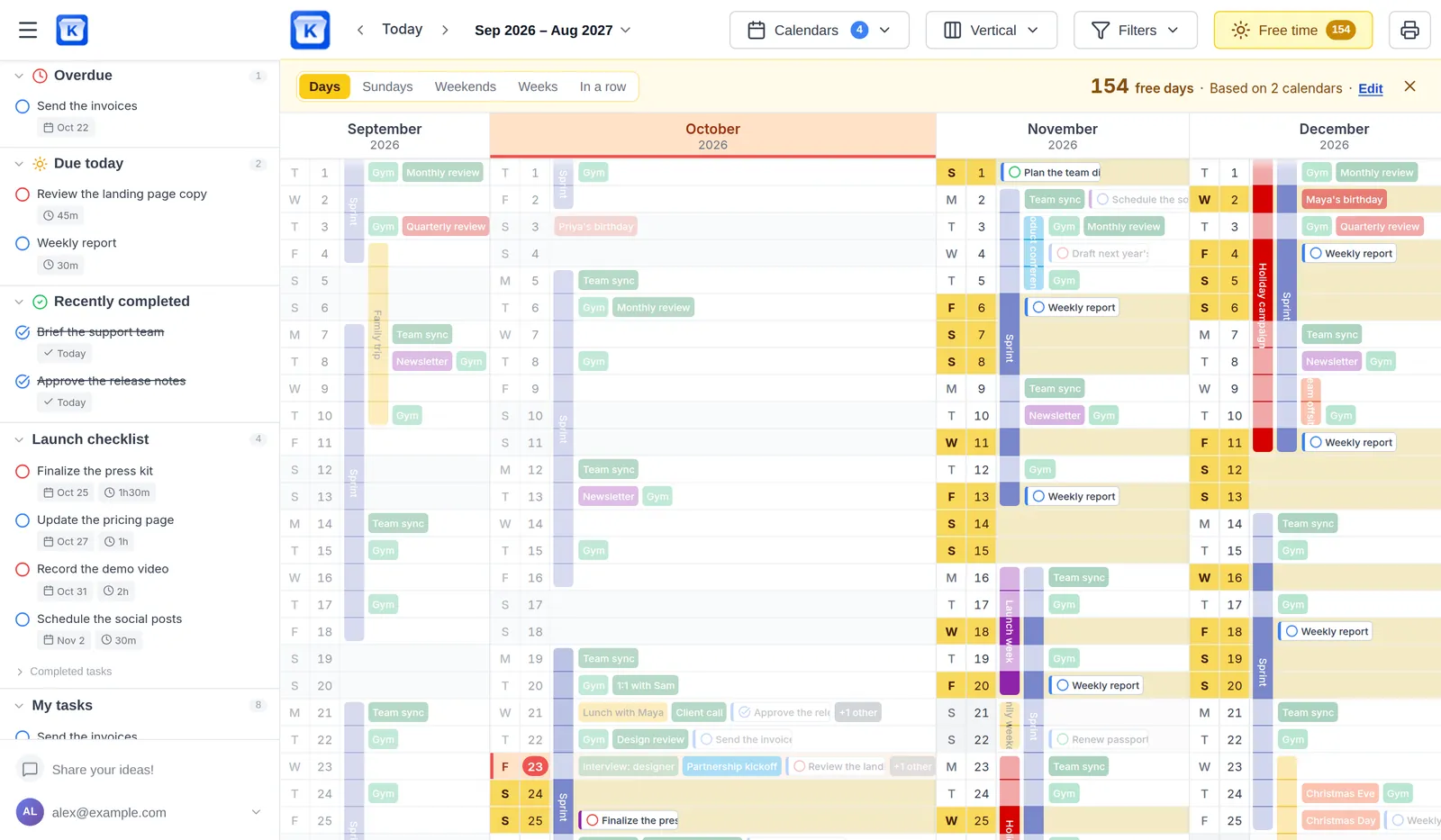
Months as columns, days running down. A whole season at a glance, and the busy weeks stand out.
Give your team a 12-month bird's-eye view of their Google or Outlook calendars. Align on what matters, spot conflicts early, and make informed decisions.
Over 3,000 calendars synchronized by 400+ customers in 30 countriesSample calendar, no account needed. Connect Google Calendar or Outlook when you're ready.
Top performers from leading organizations rely on Kalnext





Four layouts
Same events, same tasks. Switch the layout in one click when the question changes.
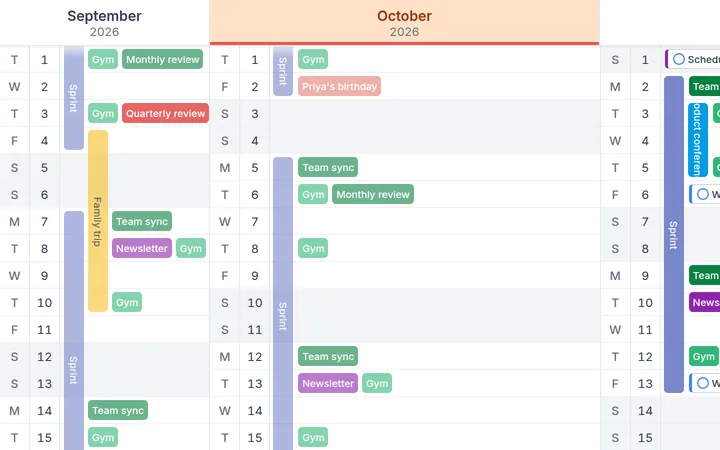
Vertical
Months as columns, days running down. A whole season at a glance, and the busy weeks stand out.
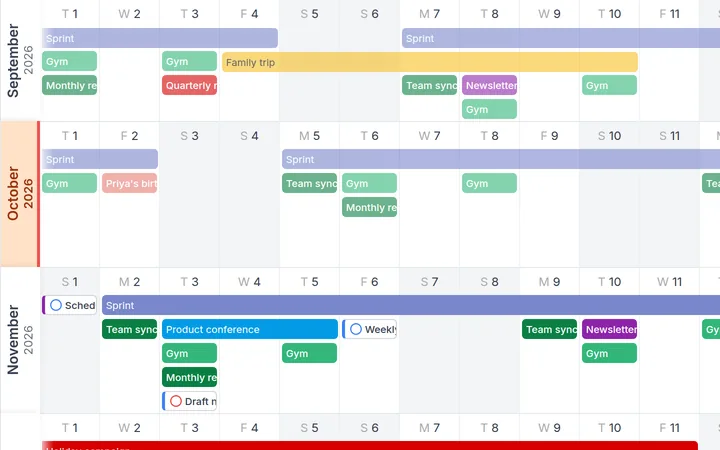
Horizontal
Months as rows, days from left to right. A project or a trip reads as one continuous bar.
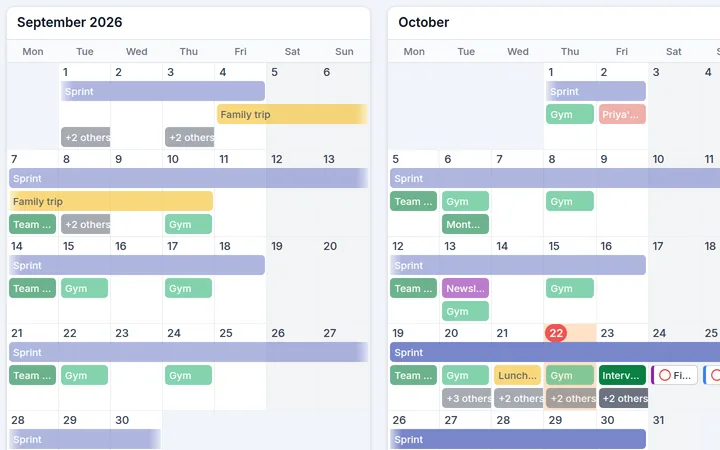
Grid
Each month as a block of weeks, from Monday to Sunday, like the calendar on your wall.
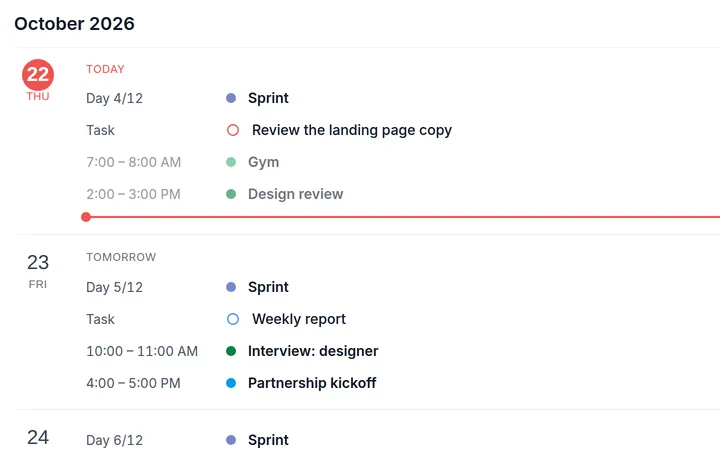
Agenda
Every day in a list, with its times and its tasks. The next things to do, nothing else.
The problem
Project managers look at details. Kalnext looks at the trajectory.
 With Kalnext
Why teams switch
Built for leaders and teams who think in quarters, not days.
See 12 months of team activity at a glance. Spot conflicts, plan quarters, and align your organization around a shared timeline.
The first yearly planner for both Google and Microsoft
Don't change your habits. Kalnext syncs in real-time with Google Calendar and Outlook. Zero migration, zero learning curve.
Overlay calendars from every team member. Everyone sees the same picture, the same trajectory.
Go from yearly overview to daily details in one click. Plan quarters, manage events, and track progress without switching tools.
How it works
Get your team aligned in minutes, not meetings
Sign in with Google or Microsoft Outlook and instantly see your team's calendars in one place. No IT setup required.
See all 12 months of team activity in an intuitive grid. Filter by color, keyword, event type, and more.
Spot conflicts early, find availability fast, and align your organization on what matters.
Explore the Product
Explore the tools that give leaders and teams the visibility they need.
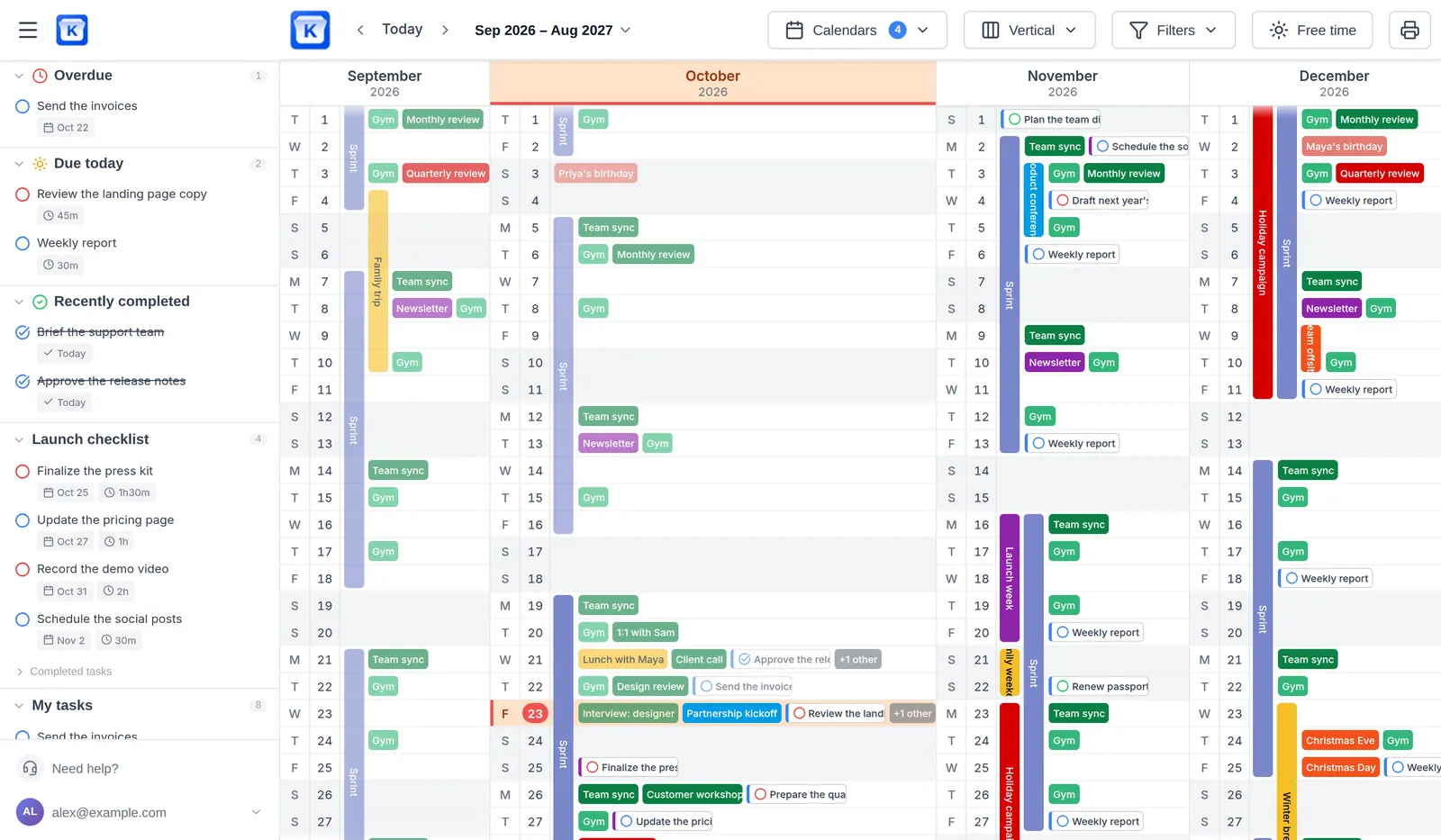
Get a full 12-month overview of all your team's calendars. Spot conflicts, plan ahead, and never miss a deadline.
Success stories

We built our own rolling planning system for our company and needed a way to make this come to life in Google Calendar. We'd been using an open source planner for this but it lacked the user interface, ease of use and support that we needed to scale. Kalnext solved this problem for us.
Rob Castaneda
CEO of ServiceRocket, author of Leadership Behaviors and of the “Plan Like a Boss” series
Pricing
Start with a 14-day free trial. No credit card required.
. Solo $24/year Why isn't it free? | . Starter $49/month | Most Popular Business $99/month | . Enterprise $199/month | |
|---|---|---|---|---|
| Start trial | Start trial | Start trial | Start trial | |
| Seats included | 1 | Up to 10 | Up to 30 | Up to 100 |
| Calendars synchronized | Up to 3 | 10 / seat | 30 / seat | 100 / seat |
| Task lists | Unlimited | Unlimited | Unlimited | Unlimited |
| Google or Microsoft accounts | 1 | Multiple | Multiple | Multiple |
| Real-time Google Calendar and Outlook sync With Google Calendar, you choose: read-only, or two-way so you can edit your events from Kalnext. Editing can be turned on later. | Yes | Yes | Yes | Yes |
| Full event management | Yes | Yes | Yes | Yes |
| Full task management | Yes | Yes | Yes | Yes |
| Free time finder + Advanced filters | Yes | Yes | Yes | Yes |
| Daily details | Yes | Yes | Yes | Yes |
| All layouts Vertical, horizontal, grid, agenda | Yes | Yes | Yes | Yes |
| PDF export & print | Yes | Yes | Yes | Yes |
| Dynamic sharing | No | Yes | Yes | Yes |
| Calendar history | 2 years | 5 years | 10 years | Unlimited |
| Admin Dashboard | No | Yes | Yes | Yes |
| Priority support | No | No | Yes | Yes |
| Priority feature requests | No | No | No | Yes |
| Personalized onboarding | No | No | No | Yes |
| Personalized branding | No | No | No | Yes |
| Custom Domain | No | No | No | Yes |
| Single Tenant | No | No | No | Custom |
| SSO & SAML Authentication | No | No | No | Custom |
$2/month, billed annually
For solo practitioners
14-day free trial included. $0 today
billed annually
For small teams
14-day free trial included. $0 today
Everything in Solo, plus:
billed annually
For leaders and growing teams
14-day free trial included. $0 today
Everything in Starter, plus:
billed annually
For large organizations
14-day free trial included. $0 today
Everything in Business, plus:
A free tool has to pay its bills another way: ads, selling data, or cutting back on maintenance and support. Kalnext is funded by the people who use it. Here is what your subscription pays for.
Your data, secured
Your calendars are encrypted in transit and at rest, and only you and the people you share them with can see them. They are never used for ads and never sold.
Maintenance every day
Google and Microsoft keep changing their services. Every day, we keep the sync running, apply security updates and fix bugs.
New features every day
Kalnext gets better every day: new features, improvements and fixes ship continuously, on every plan.
Support by real people
Your questions and bug reports are answered by the team that builds Kalnext.
All of this for $2 a month, billed yearly. Less than half the price of a Happy Meal®.
No. Kalnext is a year view on top of your calendar. Your events stay in Google Calendar or Outlook, and every change syncs both ways in real time.
Yes. The demo opens Kalnext on a sample calendar, with no account and no sign-up. When you are ready, connect Google Calendar or Outlook to plan your real year.
Not with Google Calendar: you can connect it read-only and turn on editing later. For Outlook, Microsoft grants reading and editing together.
Nothing. They never left Google Calendar or Outlook, so there is nothing to export or migrate. You can delete your Kalnext account at any time from your settings.
Yes, natively, with the same two-way sync as Google Calendar, for events and for Microsoft To Do tasks. A team can mix Google and Microsoft accounts.
Yes. Create, move, resize and delete them on the year view: the change lands in your calendar right away.
Because you are the customer, not your data. Your subscription pays for the security of your data, the daily maintenance of the sync with Google and Microsoft, new features every day and support from the team that builds Kalnext. And Solo costs less than half a Happy Meal® a month.
Yes, 14 days on every plan, with no credit card.
Yes, from your settings. No contract, no hidden fees.
Yes. Kalnext never sells any of your data, to anyone, and never uses it for ads. It is encrypted in transit (TLS 1.3) and at rest (AES-256). Payments go through Stripe: we never see your card. Details in our Privacy Policy.
Yes, on every plan: print your planner from A4 up to A1, or save it as a PDF.
Yes, in your phone's browser, with a layout made for small screens.
Kalnext speaks English, French, Spanish, German and Japanese. It follows your browser language, and you can change it in your preferences.
By email or through our support portal, on every plan. Business customers get an answer within 24 hours, Enterprise within 6 hours.
Yes, 50% off every plan for schools, universities and non-profits. Contact us with your details.
Who builds Kalnext

Adrien
Founder @ Kalnext
Made in FranceKalnext was born from a simple observation: existing calendars or project management software didn't make it easy to see an entire year at a glance. We recognized that leaders, managers, and teams need a clear, long-term perspective, something Google Calendar and other software didn't offer.
From that insight, Kalnext was designed:
An intuitive, clean yearly calendar interface that shows events clearly across all 12 months, fully synced with Google Calendar and Outlook, and built to help teams plan strategically and stay aligned.
By providing a full‑year overview that highlights conflicts and opportunities far ahead, Kalnext helps teams make better decisions and adjust plans with confidence.
Privacy and security that you (and your IT team) can count on. We are committed to keeping your data safe. We will never share or sell it, and only request access to the data necessary for the services you choose.
Join the leaders who plan in quarters, not hours. Connect your Google Calendar or Outlook and see your full year in under a minute.
Move a few things around and see your year on one screen. No account needed until you connect your calendar.
14-day free trial · No credit card required · Cancel anytime