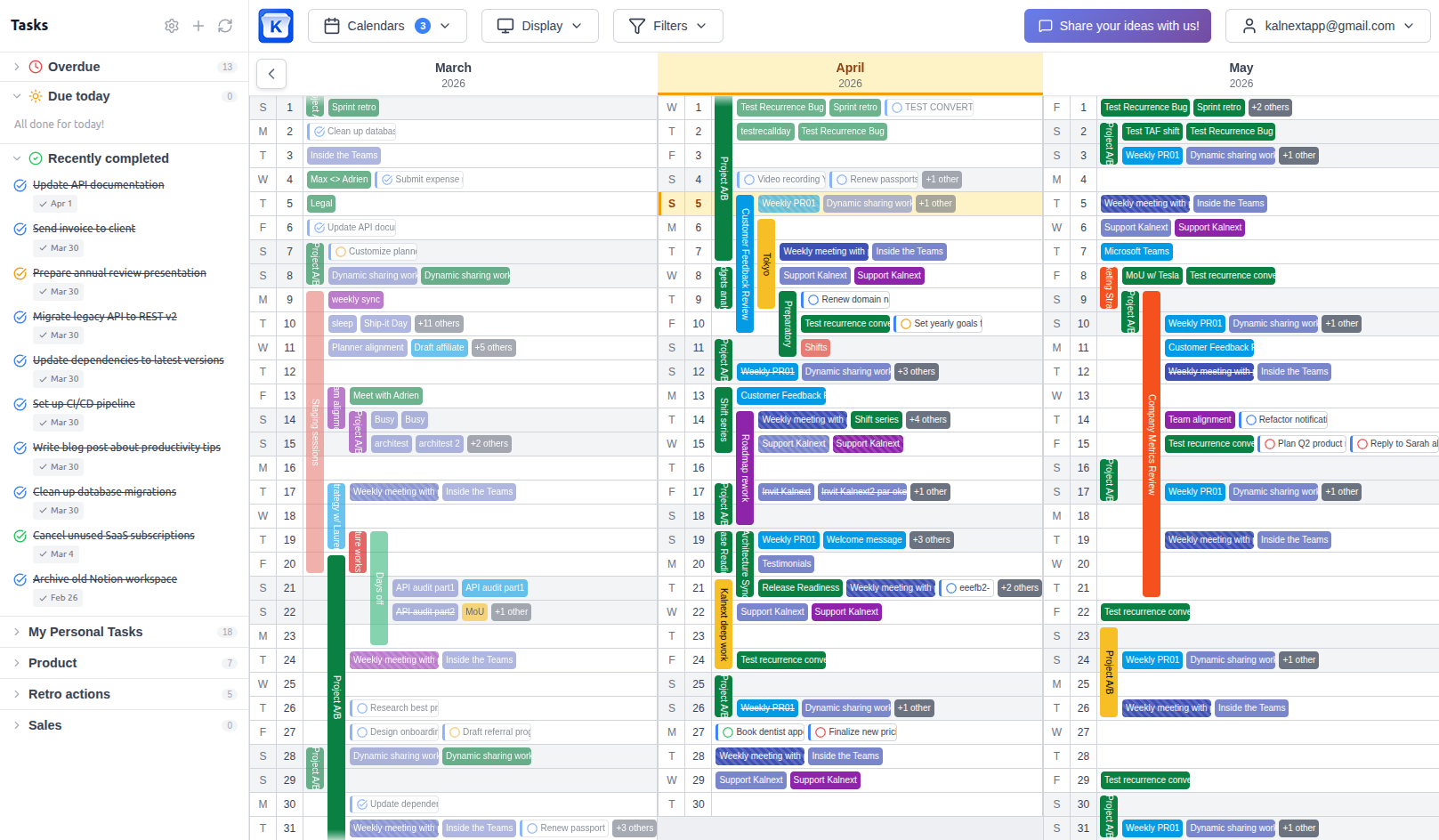
Planning you can execute
One calendar. The whole year.
Not a plan on one side and a calendar on the other.
14-day free trial · No credit card required
The second system tax
Most year planners hand you a beautiful canvas and a quiet obligation: keep it in agreement with the calendar your organisation actually runs on. Nobody budgets for that work, and nobody does it for long.
The decay is predictable. You block a launch week in the planner. Someone moves the review meeting in the calendar. A month later the two disagree, and the plan is the one people stop trusting, because the calendar is the one with the meetings in it.
A plan that has to be copied somewhere to become real is not finished. Executable planning removes the copy. The year view reads and writes the calendar of record, so there is no second system to tax you.
Five principles
What changes when the plan and the calendar are the same object.
The plan is the calendar, not a picture of it
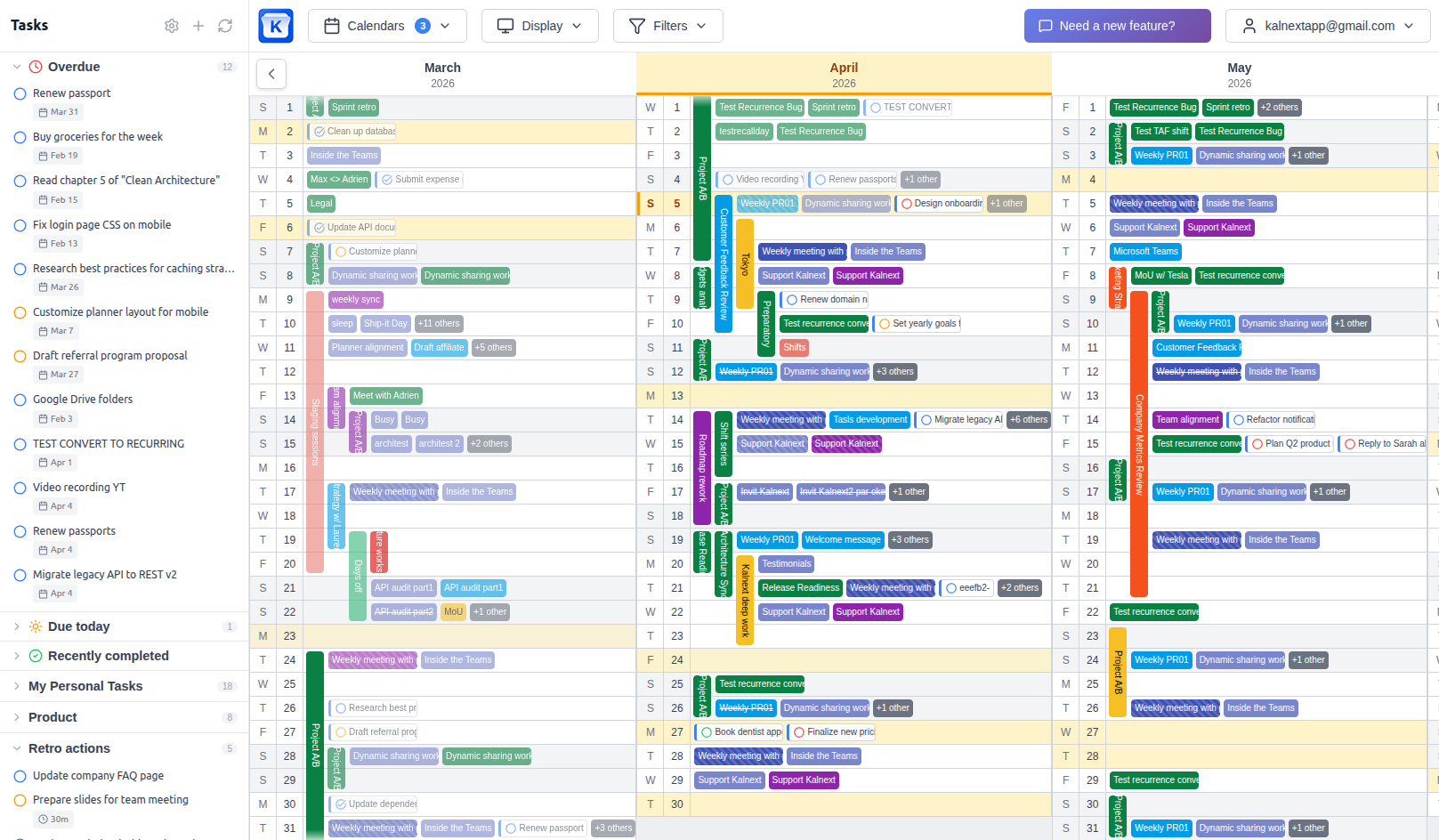
A year drawn in a separate tool is a snapshot. It was true the day you made it. Executable planning removes the copy: the block you drag across three months is the event itself, in Google Calendar or Outlook, for everyone who shares it. There is nothing to keep in sync because there is only one thing.
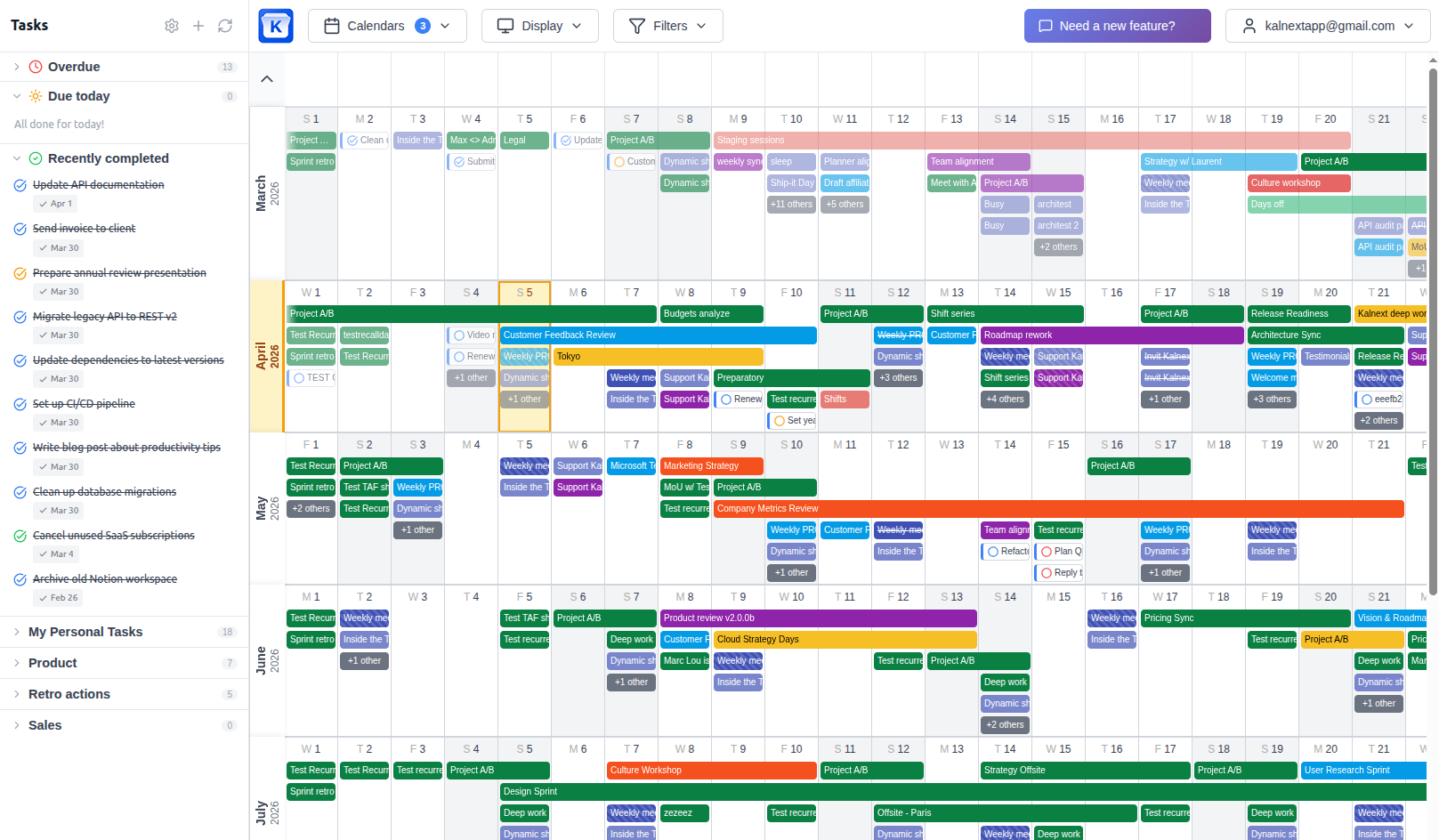
A decision you can't act on is not a plan
Planning ends the moment it produces something someone can act on. If shipping your year means re-entering it in another tool, the plan is a proposal, not a decision. Move it, stretch it, cancel it, and the people affected see it the same minute, in the calendar they already have open.
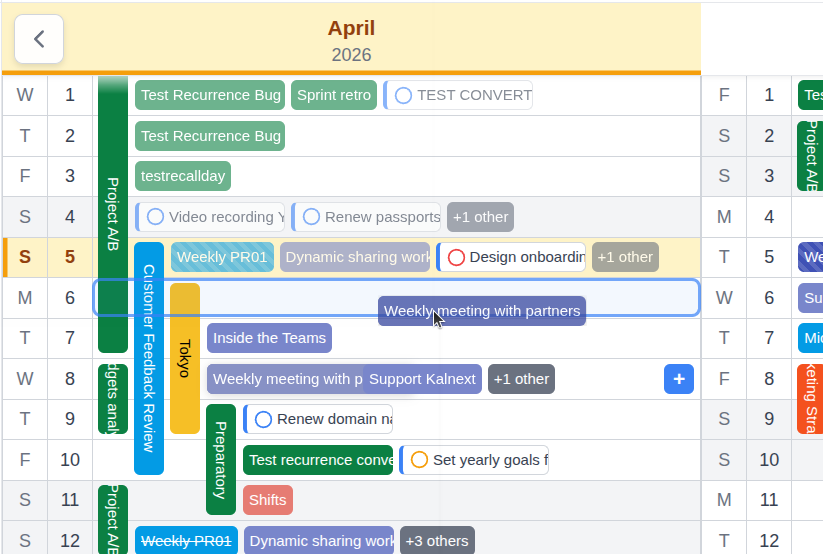
Meetings are half your year
A calendar shows what you agreed to attend. It says nothing about what you agreed to deliver. Tasks and events belong on the same canvas, with duration and importance, or the year you are looking at is systematically optimistic.
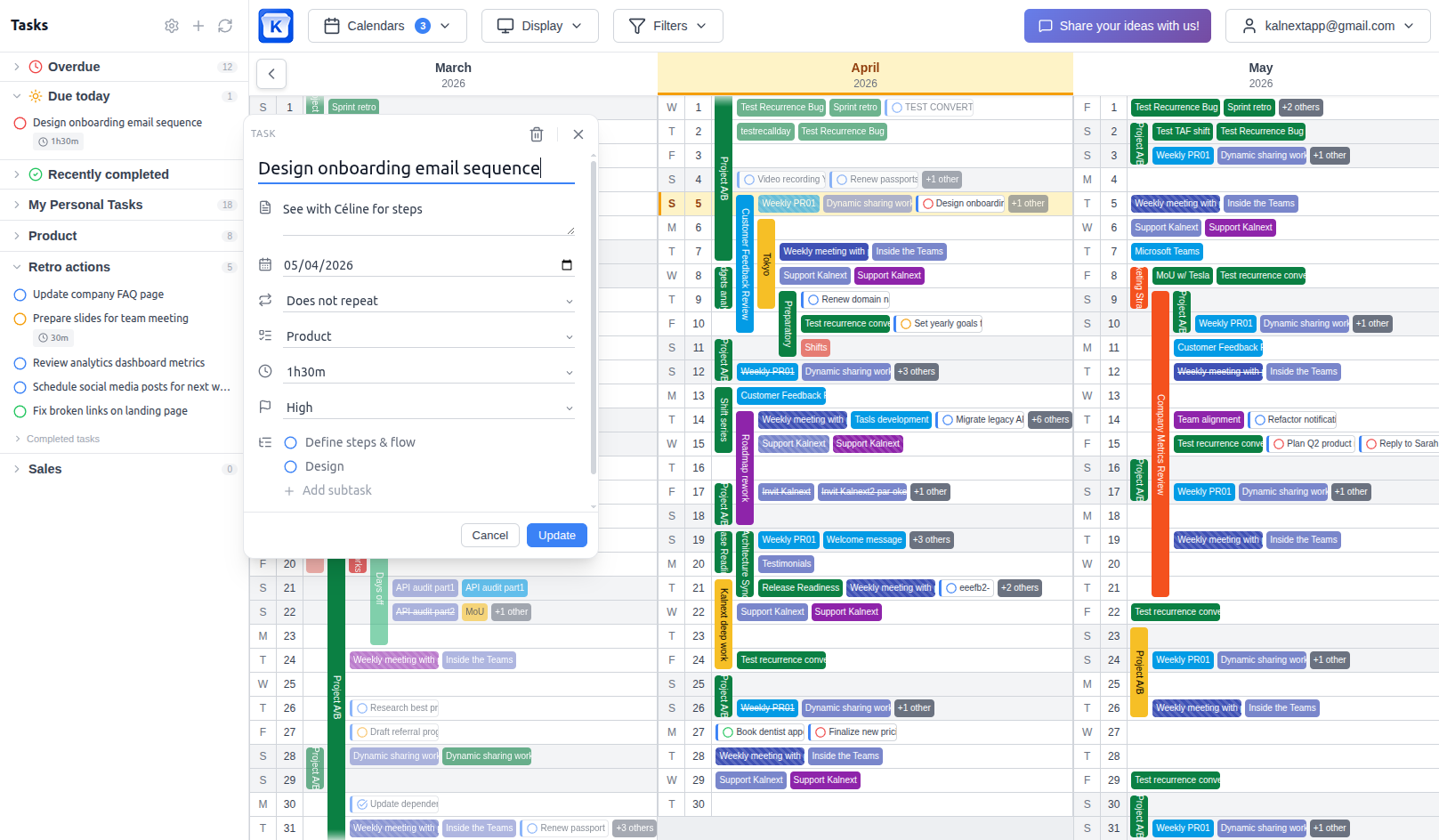
Empty time is information
The most useful thing on a year view is often what is not on it. Where is the week with nothing in it, across every calendar that matters? That question is what turns an overview into a decision, and it is the one a static planning canvas cannot answer.
Your team should not have to adopt anything
Everyone already has a calendar. A plan that lives there reaches people who never open your planner, never create an account, and never learn your tool. Adoption is not a rollout, it is an invitation they already accepted years ago.
Two ways to plan a year
The difference is not the view. It is where the plan lives.
A separate planning canvas
- You draw the year in a tool nobody else opens
- Every block has to be re-entered in the real calendar
- The plan drifts the first time someone moves a meeting
- Sharing means exporting, screenshotting, or re-explaining
- Two systems to keep honest, forever
Executable planning
- You draw the year on a live view of the calendar your team already uses
- The block you draw is the event, nothing to re-enter
- The plan and reality cannot diverge, they are the same object
- Sharing is a link, or simply the calendar they already see
- One system, one source of truth
Want the long version? Planning tools vs your calendar
One question tells you which one you have
Can a colleague act on this plan without opening the tool you built it in?
If the answer is no, you are maintaining a second system, whatever it is called. If the answer is yes, your plan is already executable, and the year view is doing its job.
What executable planning is not
Not a calendar replacement
Kalnext does not ask you to move off Google Calendar or Outlook. It gives them the year they never had.
Not a second planning space
There is no canvas to maintain next to your real calendar, and no import step that only goes one way.
Not a project management tool
No sprints, no dependencies, no Gantt. Executable planning is about where time goes, not about breaking work down.
Frequently asked questions
What is executable planning?
Executable planning is annual planning done on a live, two-way view of the calendar your organisation already works from, rather than in a separate planning canvas. The year view is a real view of real events, so a block you draw is immediately actionable by everyone who shares that calendar, with no re-entry step between deciding and doing.
How is it different from time blocking?
Time blocking is a daily or weekly habit: you reserve slots for focused work. Executable planning applies the same idea at the scale of a year, and adds the constraint that the block must live in the calendar of record. The point is not the discipline of blocking, it is that the artefact you produce can be acted on without being copied anywhere.
Do I need to abandon my current calendar?
No, the opposite. Kalnext connects to Google Calendar and Microsoft Outlook and syncs both ways in real time. You keep the calendar you have, your colleagues keep theirs, and the year view becomes a new way to read and edit what is already there.
Why not just use a dedicated year planner?
A dedicated planner gives you a clean canvas with no constraints, which is genuinely useful for sketching options. It stops paying off the moment somebody else has to act on the result, because the plan then has to be transcribed into the calendar people actually read. Tools whose calendar integration is a one-way read-only import cannot close that gap.
Does executable planning work for a team?
That is where the difference is largest. Because the plan is the calendar, teammates see it without adopting a new tool, availability can be computed across the whole team, and a change made by one person is visible to everyone immediately rather than at the next manual sync.
One calendar. The whole year.
Connect Google Calendar or Outlook and plan twelve months where the work already happens.
Start your free trial14-day free trial · No credit card required